
This guide will help you create a BettaMax account, log in for the first time, and recover your password if needed. It takes approximately 5 minutes.
Create an account #
- Visit https://admin.bettamax.com/register
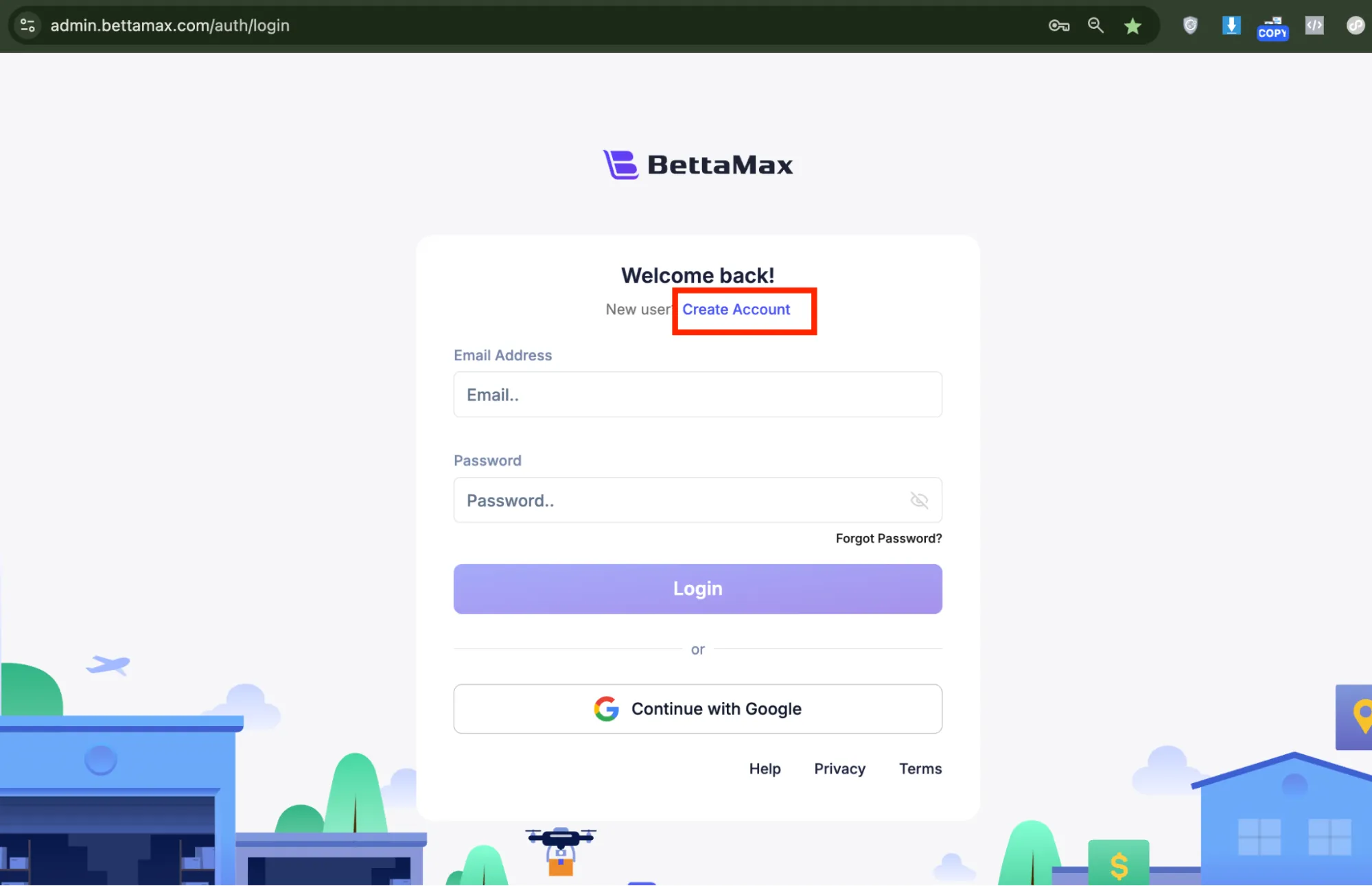
- Click Create Account .
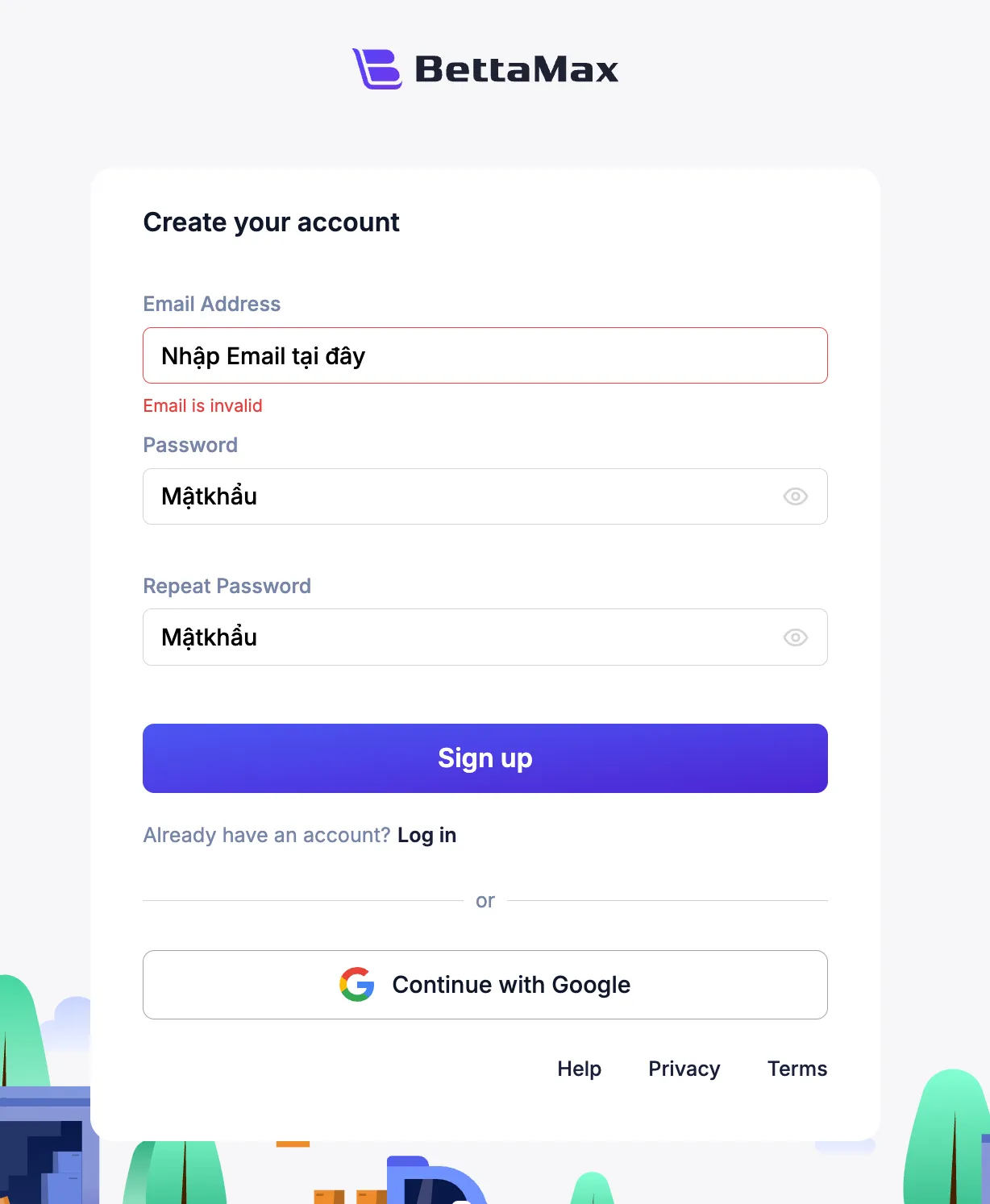
- Enter your Gmail address and password , then click Sign Up .
- Open the email address you just registered with, find the verification email from BettaMax, and click on the confirmation link.
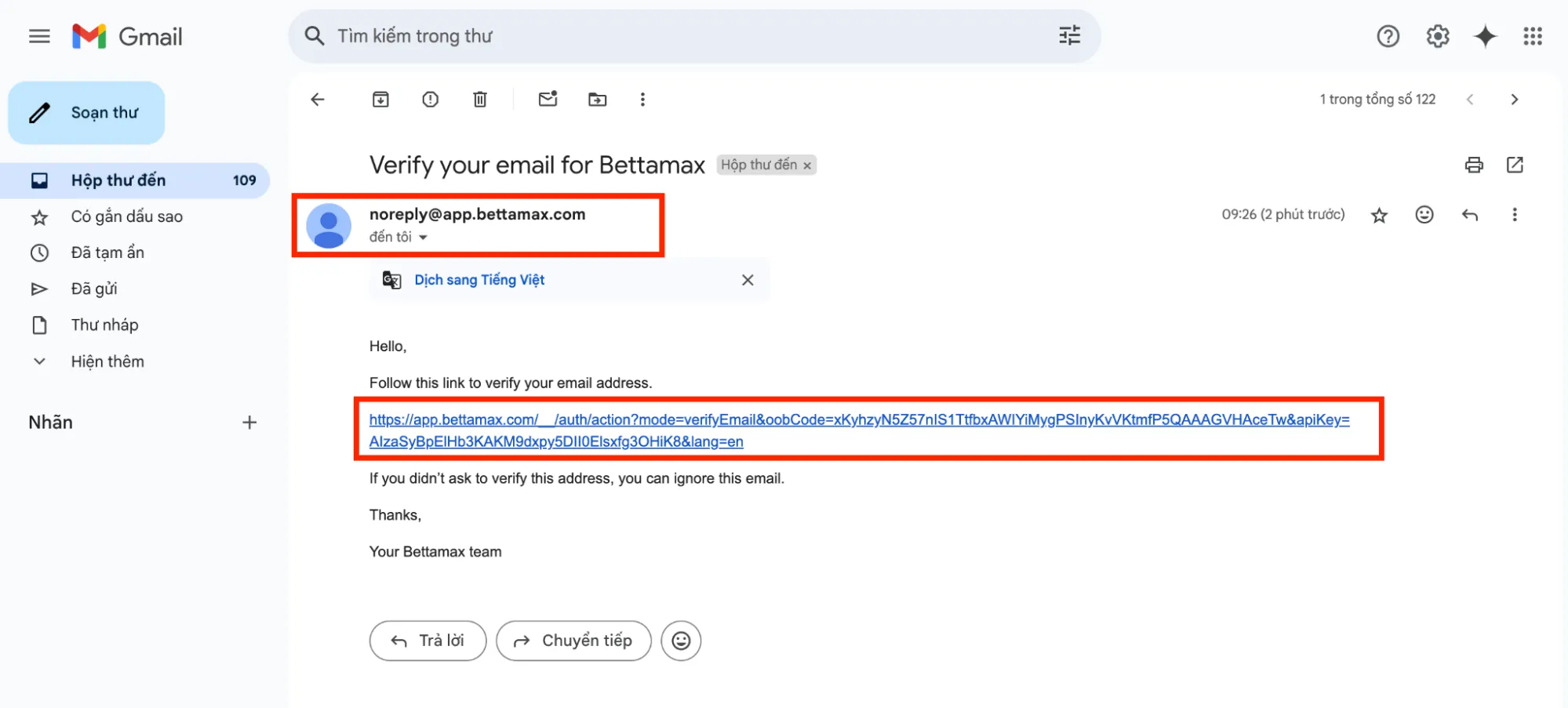 Note: Check your Spam folder if you don’t see the email in your inbox.
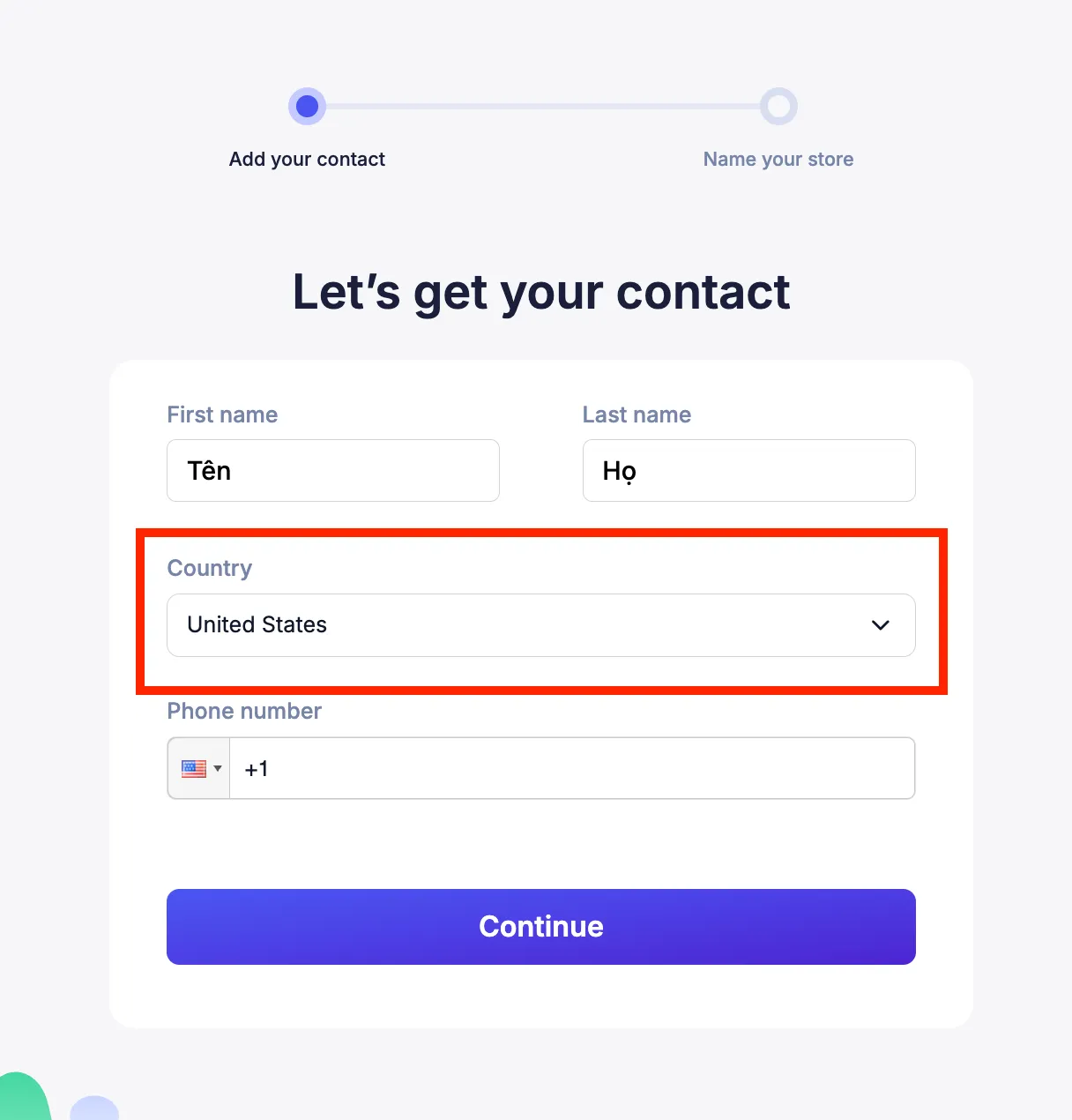
 - Fill in your contact information: Full name , Country , Phone number , then click Continue .
- Enter your store name and select your account type: Self-process orders or use BettaMax’s fulfillment service .
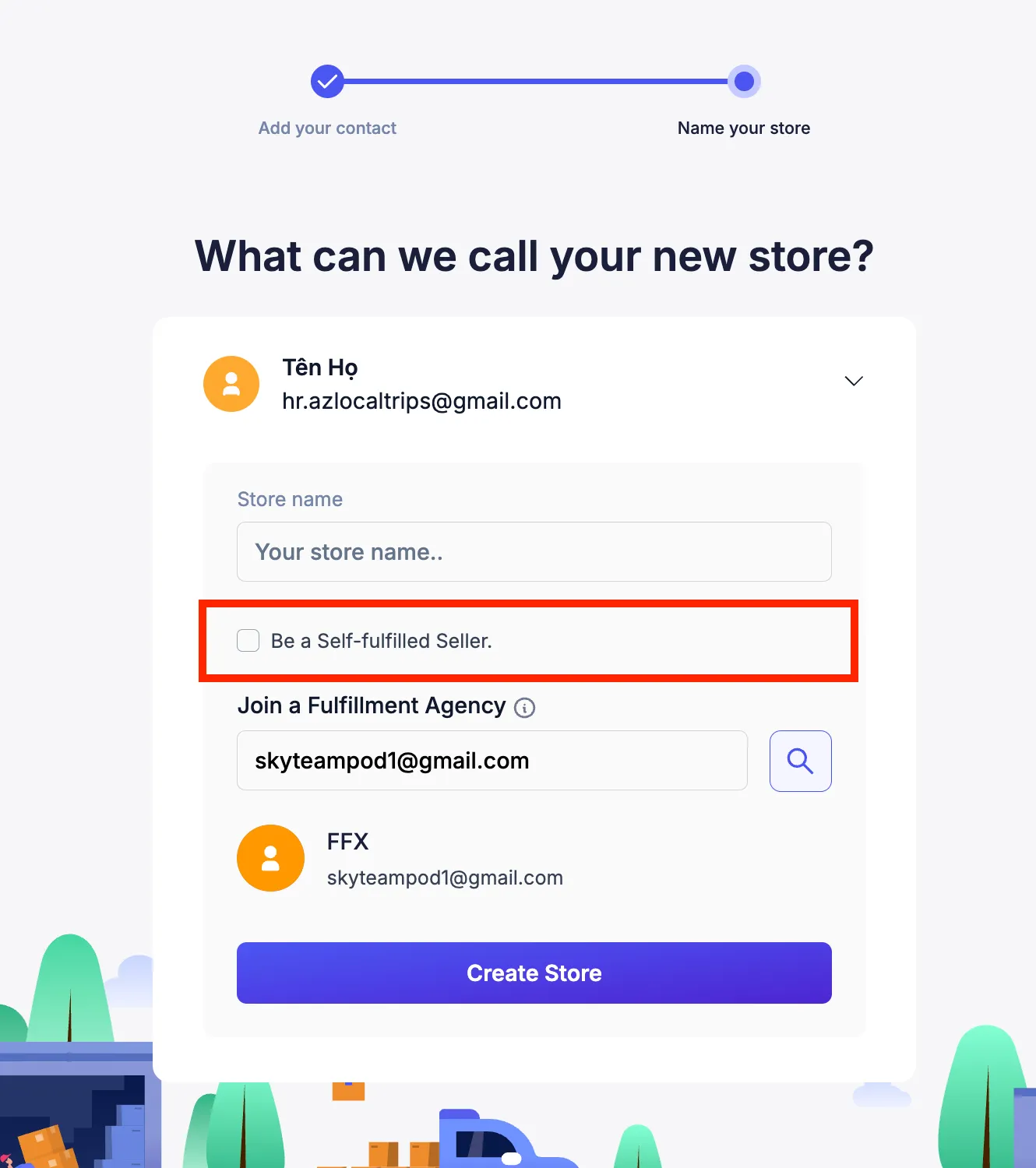
- Click Create Store . Your account is ready.
Tip: Not sure which one to choose? Contact us for advice via Telegram @btmcsmax before making a decision.
Log in #
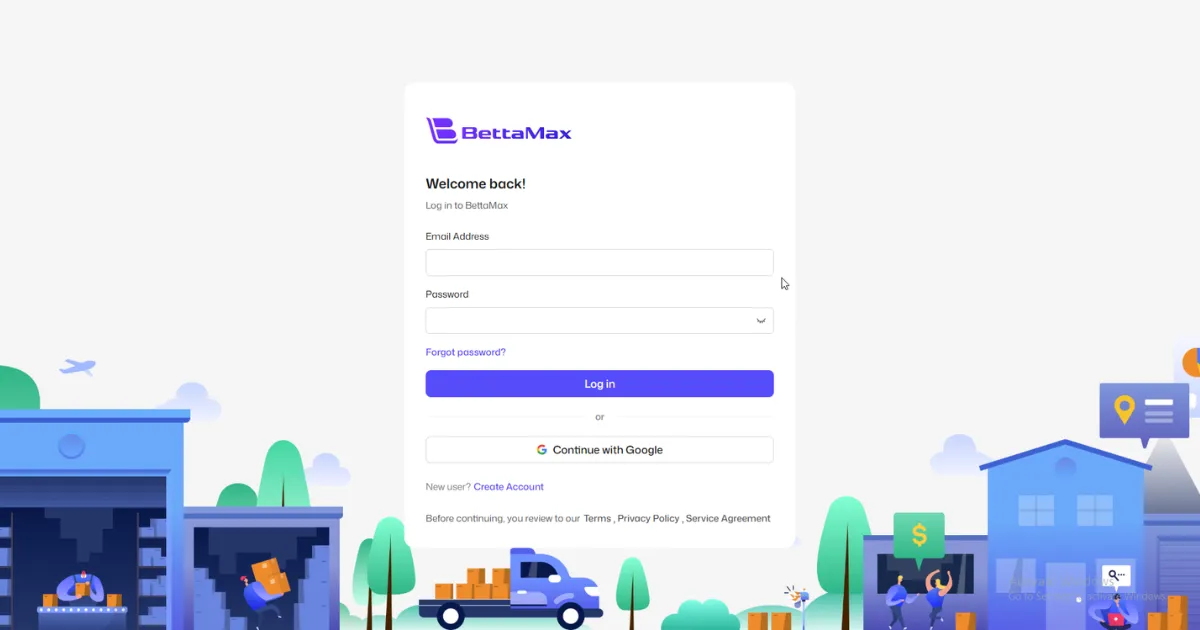
Visit admin.bettamax.com/login or open the BettaMax app.
- Enter your registered email and password .
- Click Log in .
Recover password #
- On the login screen, click Forgot password?
- Enter your registered email address and click Send .
- Open the email from BettaMax and click the password reset link.Note: The link is valid for 30 minutes. Check your spam folder if you don’t receive the email.
- Enter your new password and confirm it, then click Save .
- Log in again using your new password.