
This guide will help you create a cross-sell campaign on BettaMax to automatically display related products to customers. Cross-selling helps increase average order value without additional advertising costs. It takes about 5-10 minutes to complete.
Before we begin:
- There are at least 2 Active products in the store.
- You have logged into my BettaMax account.
Create a Cross-sell Offer #
Each Cross-sell Offer is a separate campaign applied to a specific product or collection within a defined timeframe. Follow these steps to create your first offer.
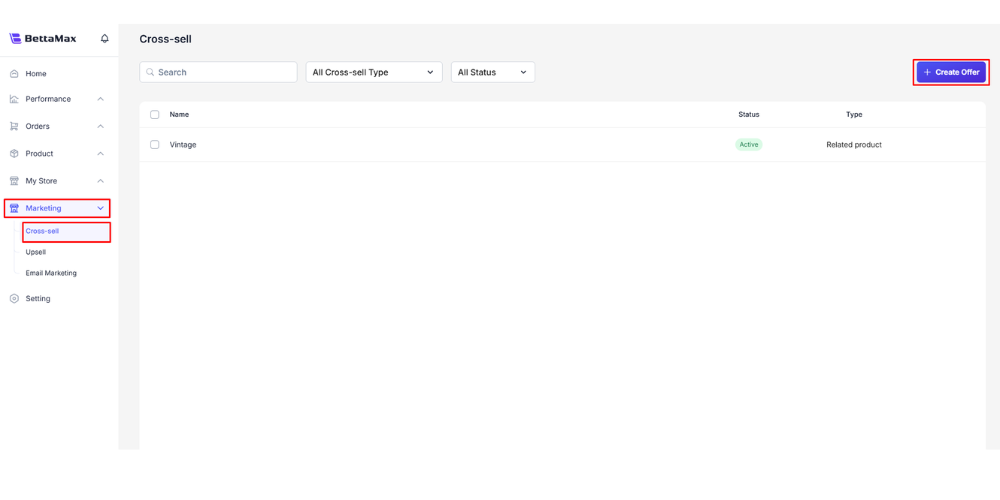
- From the menu bar, select Marketing > Cross-sell variable .
- Click Create Offer .
- Select Cross-sell type :
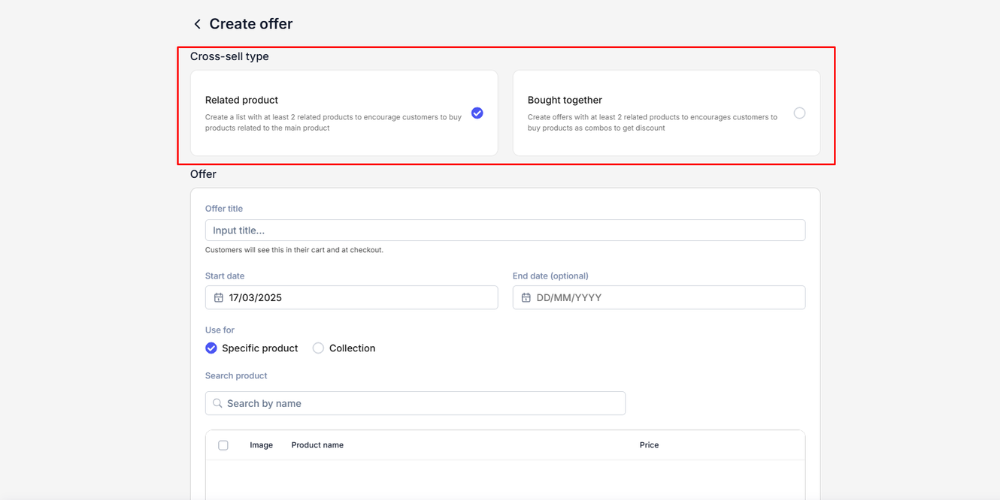
- Related products : Display related products along with individual “add to cart” buttons.
- Bought together : Displays bundle offers with total prices and a button to add the entire bundle to the cart.
- Fill in the Offer group information :
- Offer Title : The campaign name displayed in the shopping cart and checkout page. Use a clear name in English, as the main markets are US/UK/CA. For example:
Frequently Bought TogetherorYou May Also Like. - Time : Select the start and end dates and times for the offer.
- Use For : Select either Specific Product or Collection .
- Search Product : Enter the name of the product or collection you want to cross-sell, then select from the suggested list.
- Offer Title : The campaign name displayed in the shopping cart and checkout page. Use a clear name in English, as the main markets are US/UK/CA. For example:
- Select Placement — where the offer will be displayed (you can select multiple locations):
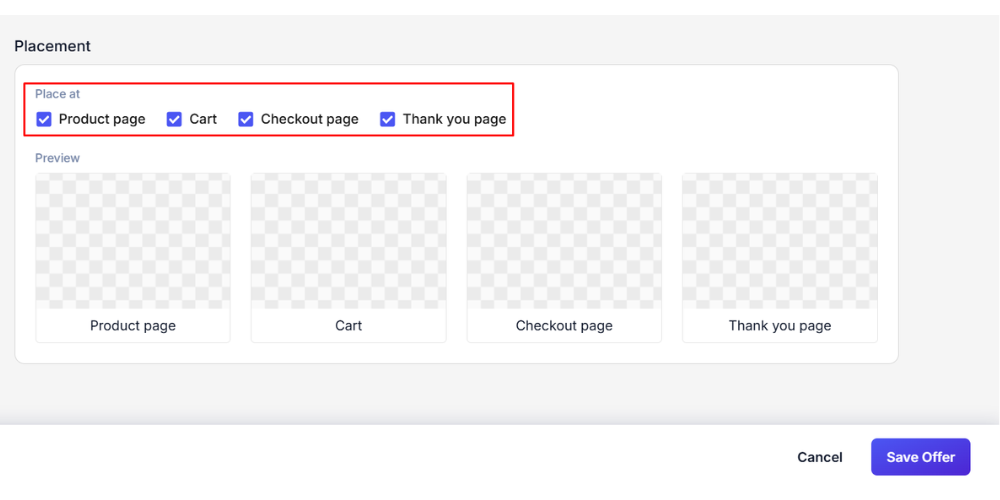
- Product page : Displayed directly on the product page.
- Cart : Displayed in the shopping cart.
- Checkout page : Displayed on the checkout page.
- Thank you page : Displayed on the order confirmation page after purchase.
- Click Save Offer to create a campaign.
Cross-sell test 1`offertitle` or `offertitle` Campaign May. Use names that are meaningful to customers, such as ` Complete the Lookoffertitle` or `offertitle` Customers Also Bought.Choose the right cross-sell product. #
Cross-selling is effective when the suggested product is genuinely related to the main product. Suggesting unrelated products confuses customers and reduces their trust in the store.
Criteria for choosing good cross-sell products:
- Complementary or commonly used products (headphones + carrying case, shoes + socks, phone + phone case).
- The price of the cross-sold product should not be significantly higher than the price of the main product.
- The product is in stock and is currently active in the store.
Manage created offers #
Once created, you can view and edit the offer at any time on the Cross-sell variable page .
- Go to Marketing > Cross-sell variable to see a list of all offers.
- Click on the offer you want to edit to modify the product, time, or placement.
- Offers that have expired (past their End Date ) will automatically stop being displayed; no manual deletion is required.
How does cross-selling on BettaMax work? #
Cross-selling automatically displays related product suggestions at locations you select in the customer’s journey. BettaMax offers two types of cross-selling:
- Related products : Display a list of related products (at least 2 products) alongside the main product, encouraging customers to purchase additional complementary products. For example, if a customer is viewing a smartwatch, suggest additional replacement straps or screen protectors.
- Bought together : Create a bundle offer with a minimum of 2 products and a discount when purchased together, encouraging combo purchases. For example: buy headphones + carrying case + charging cable at a discounted price.
You can choose one or more of the four display locations: Product page , Cart , Checkout page , Thank you page .