
Table of Contents
Information security is extremely important, so please DO NOT provide your login information to any third party. All BettaMax-related matters are always handled through the Support team.
Change your password if you still remember your old password. #
Use this method when you want to proactively change your password periodically or after sharing your account with others.
- Log in to admin.bettamax.com .
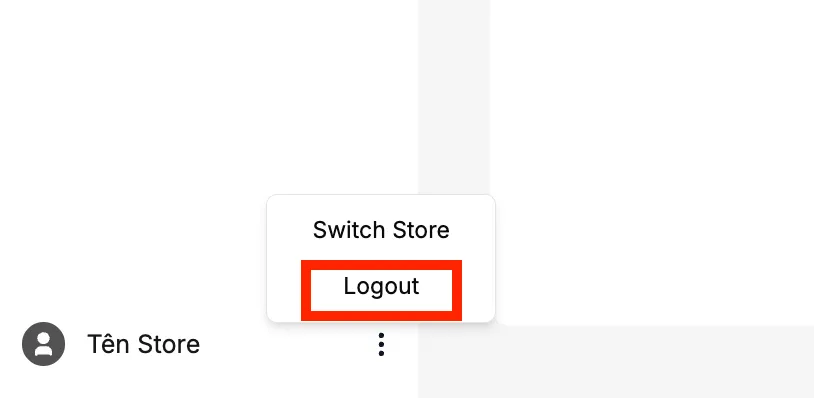
- On the main login screen, Seller clicks the three-dot icon in the far left corner (next to the Store Name) → Select Log out
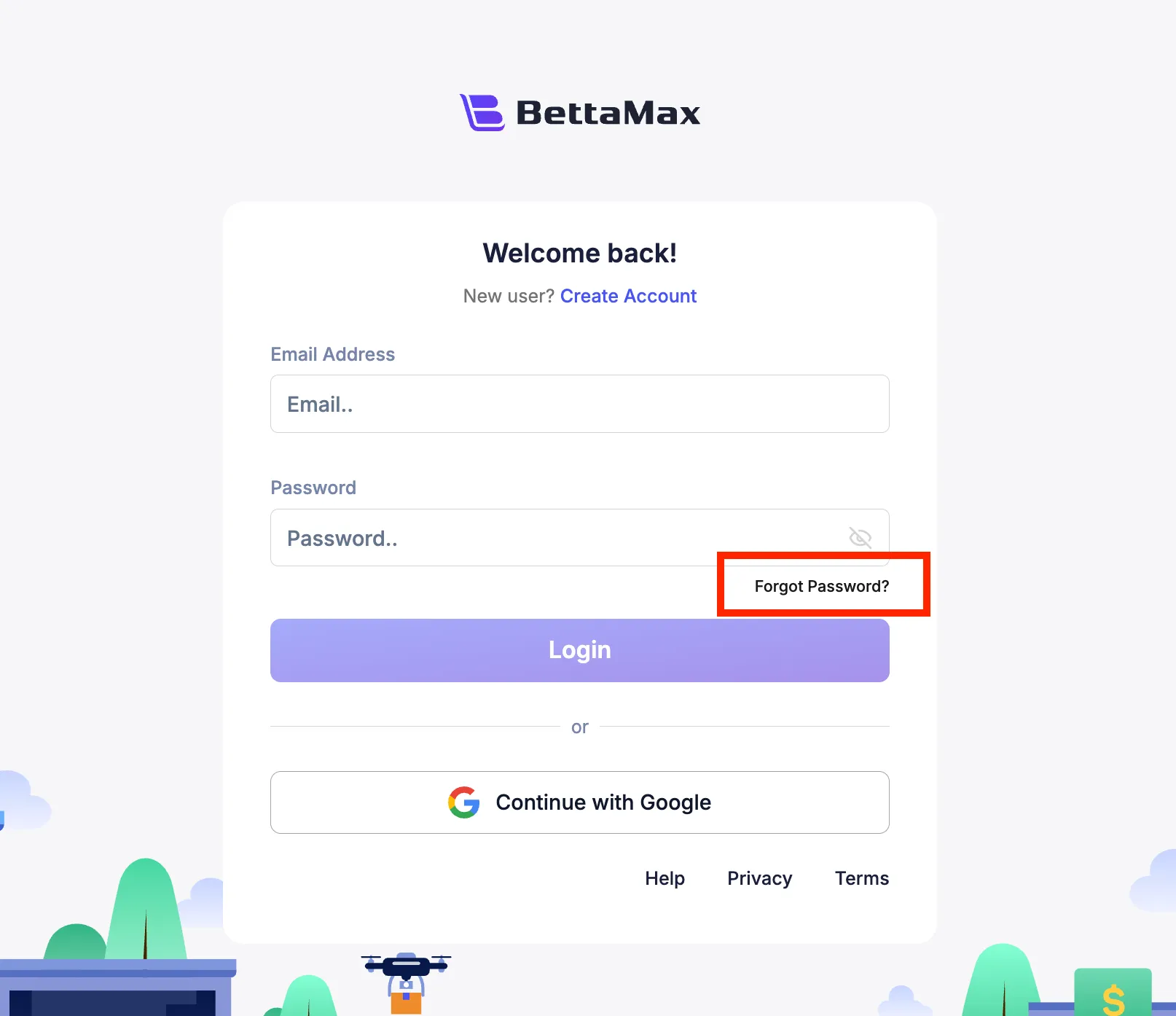
- Select Forgot Password
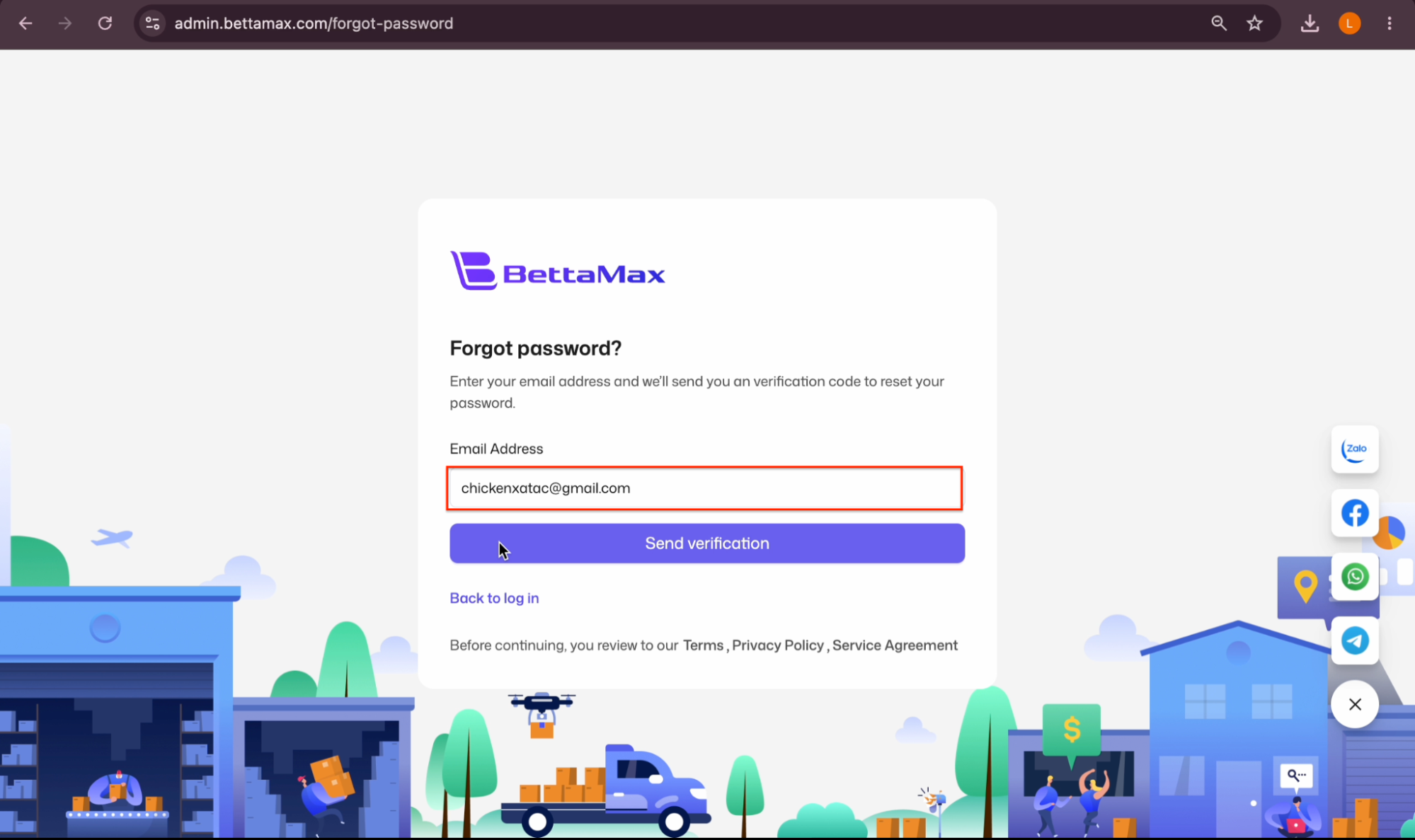
- Enter the email address of the account you want to reset the password for, then click Send Verification so the system records the password change request.
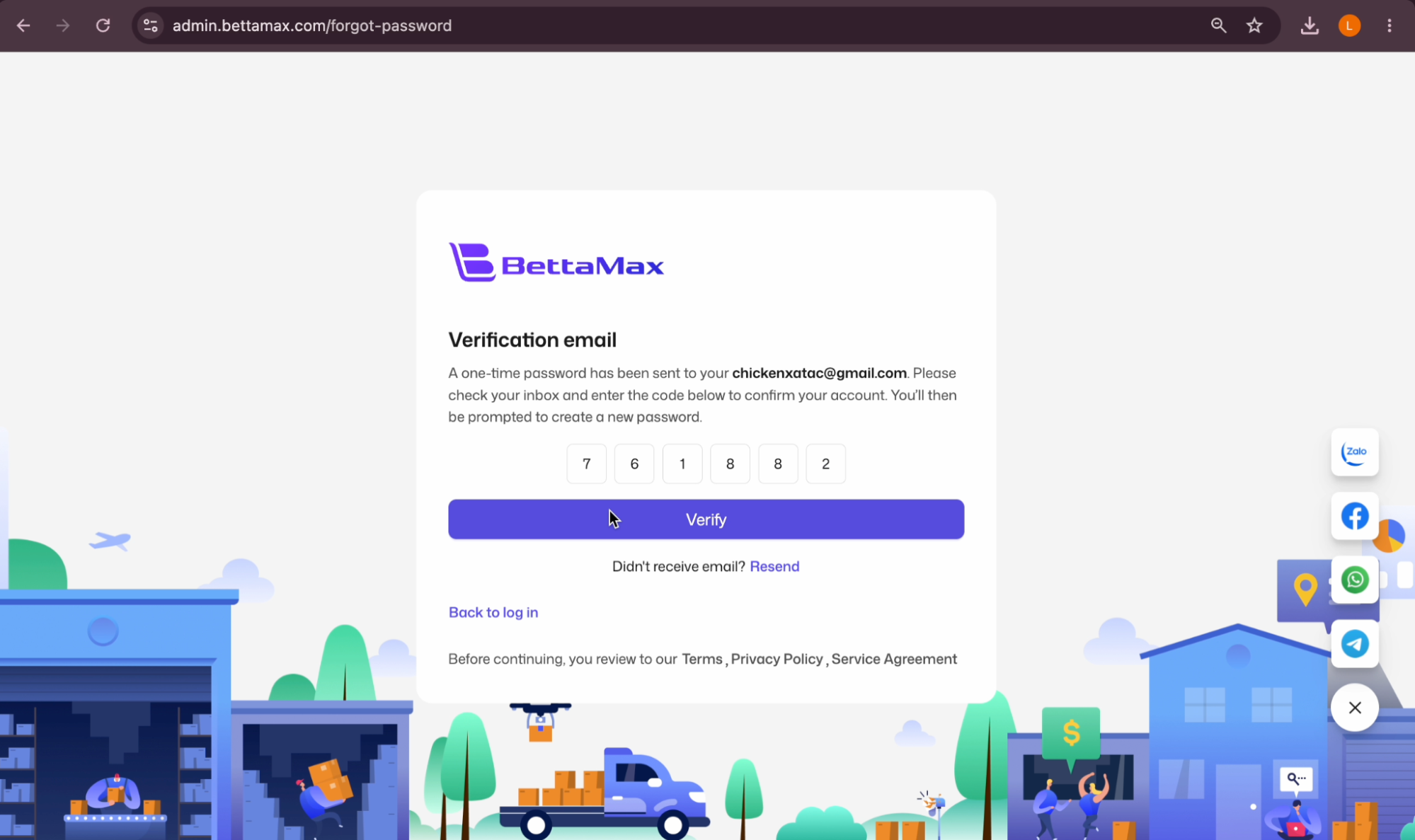
- Check your email — a verification code to reset your password will be sent to you.
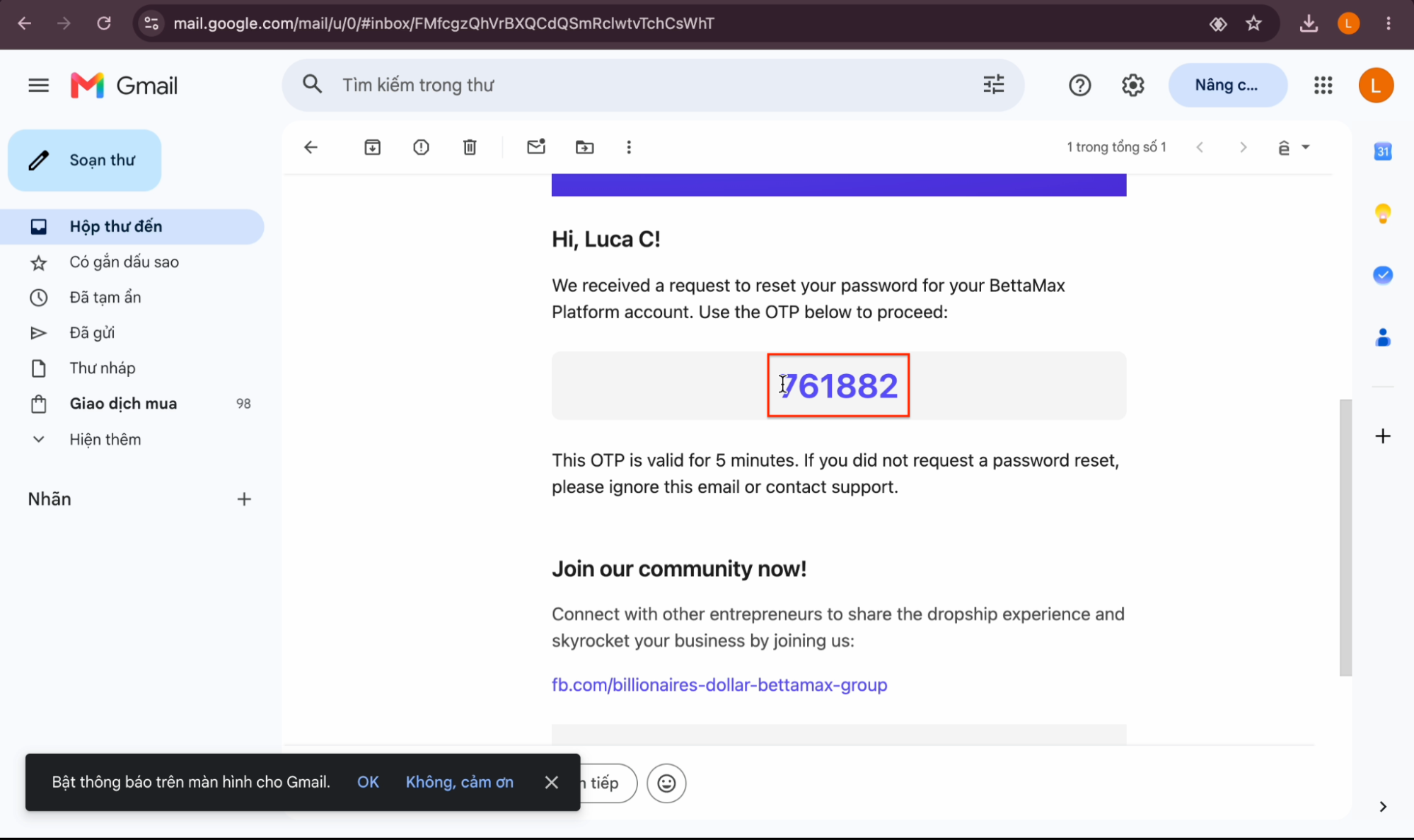 Note: Check your Spam folder if you don’t see the email in your inbox.
 - Enter the code correctly and click Verify .
- Enter your new password.
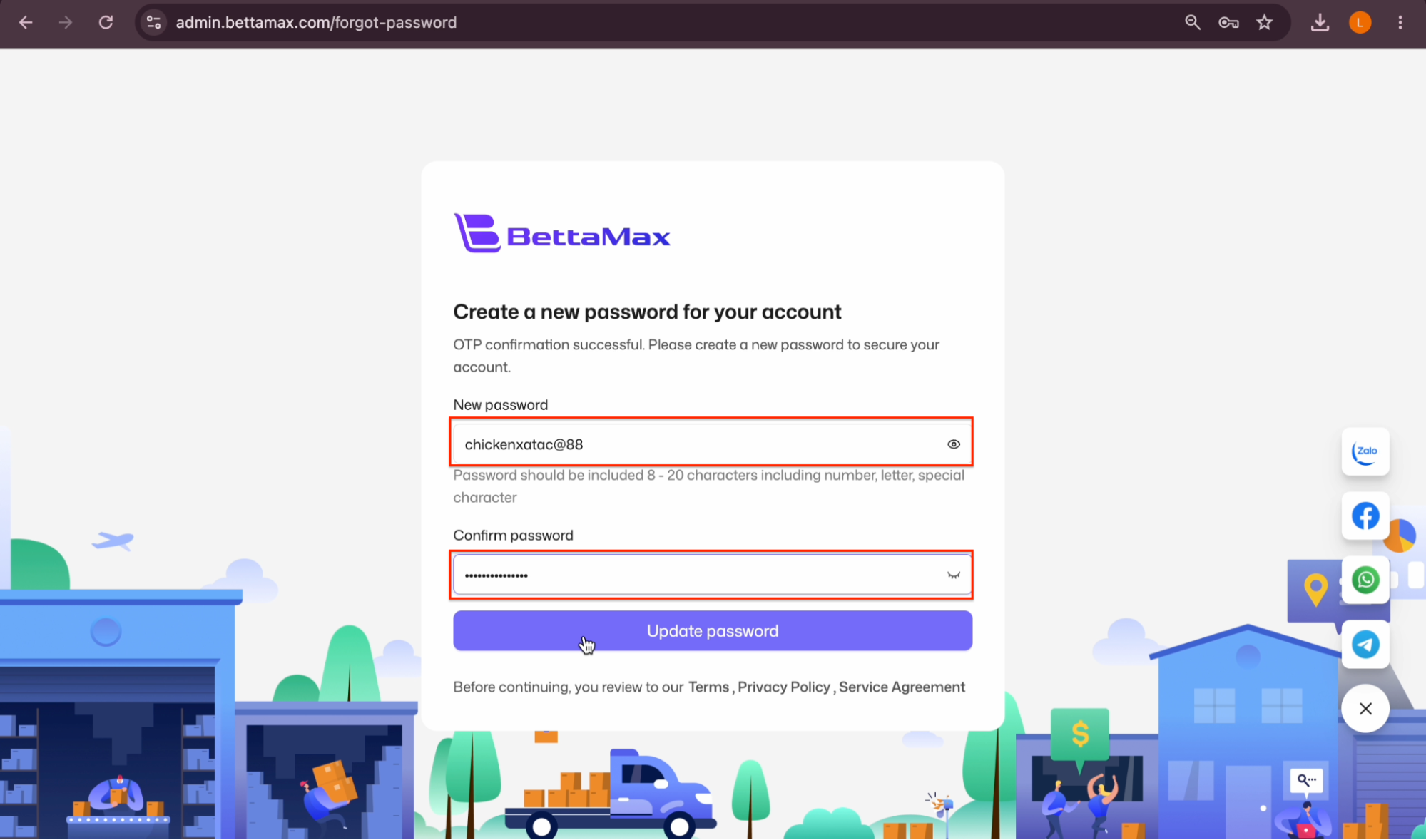 Tip: Your password should include letters, numbers, and special characters to make it harder to guess.
 - After making the changes, click Update password to save the new password.
- Please log in again to check.
Reset your password if you’ve forgotten it. #
If you forget your current password, use the email reset feature. BettaMax will send a verification code to your registered email address.
- Go to admin.bettamax.com/login , then click “Forgot password?”.
- Follow the same steps above to reset your password.
- Log in again using your new password.
Note: Didn’t receive the email? Check your Spam folder. If you still don’t see it after 5 minutes, contact support via Telegram @btmcsmax .


