
BettaMax Payments is a built-in payment gateway on the BettaMax platform, helping sellers receive payments from customers quickly, securely, and cost-effectively without needing to integrate a third party.
Step 1: Create an Account (Self-fulfillment) #
When setting up your store, the system will ask you to choose the operating model that fits your business needs:
- BettaMax standard: Suitable for experienced sellers who manage their own payment gateway and handle order fulfillment themselves (self-fulfillment).
- BettaMax all in one: Suitable for new sellers, offering full support for both the payment gateway and fulfillment service.
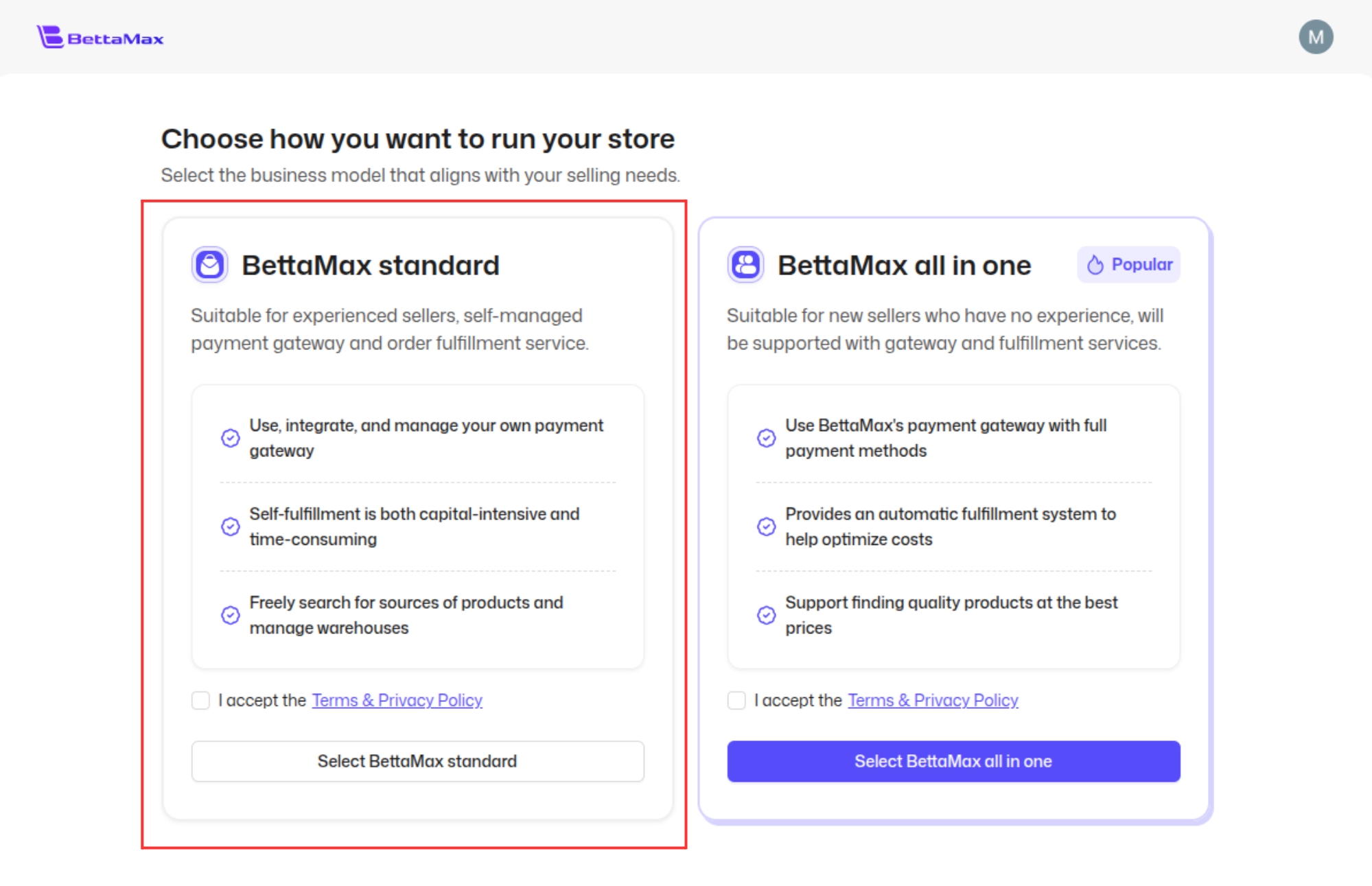
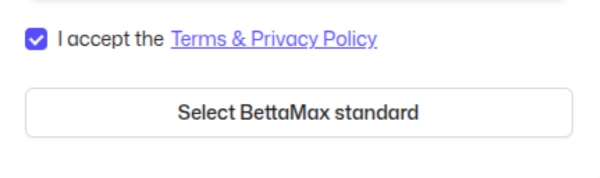
To use BettaMax Payments following this guide, select BettaMax standard, check I accept the Terms & Privacy Policy, then click Select BettaMax standard to complete account creation.
Step 2: Add Email Domain #
After entering your store, go to the left navigation bar and select Setting → Email management.
- In the Email domain section, this is the list of email addresses used for the store’s email flows (order confirmations, order tracking, etc.). If you don’t have a domain yet, click Add domain in the top right corner and enter your domain name (e.g., getsumoria.com) to add a new one.
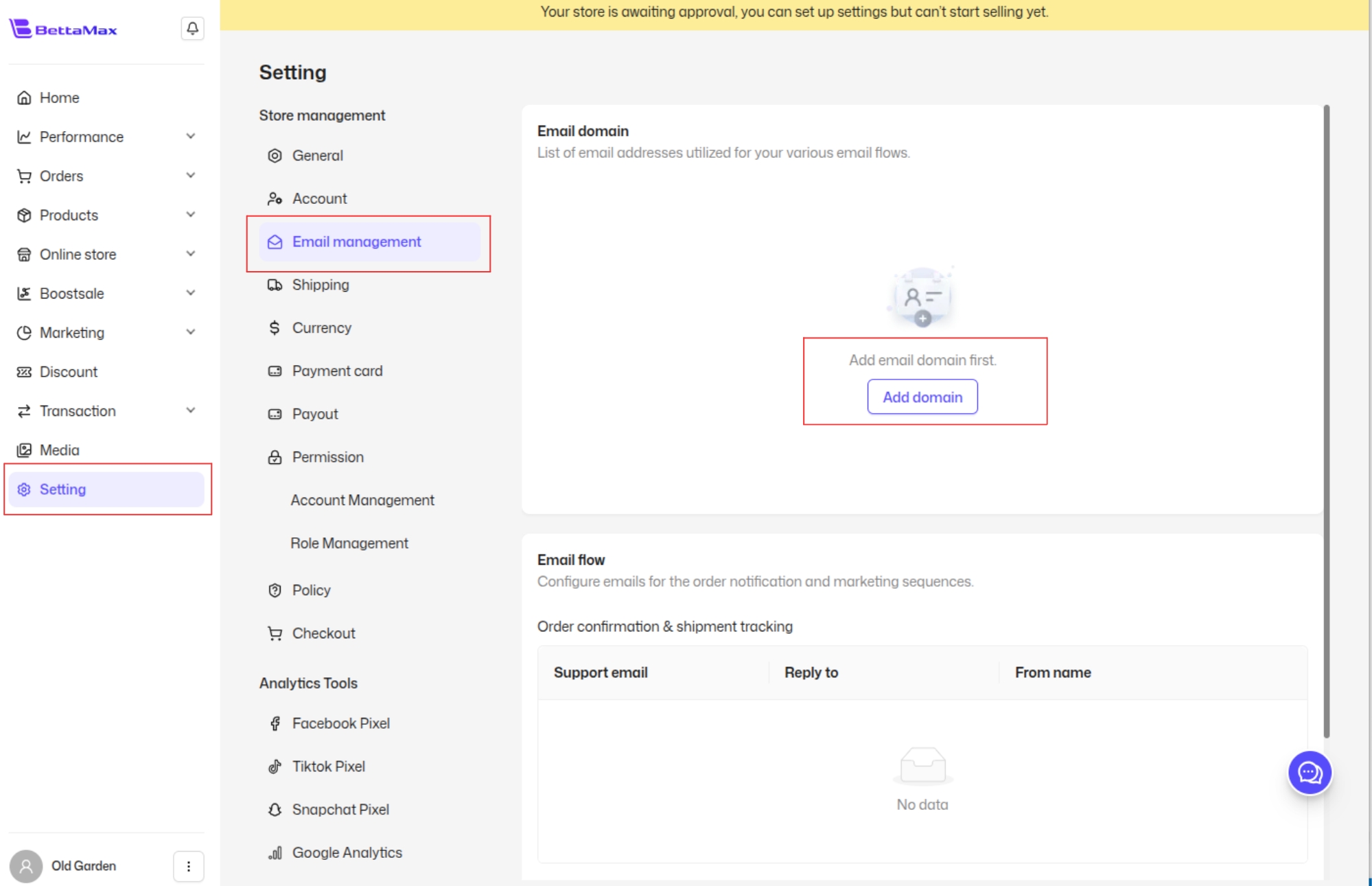
- After successfully adding the domain, the system will ask you to verify it by declaring a DNS Record with your domain provider.
- Once the domain is verified, the Email domain section will display: the domain name (e.g., getsumoria.com) along with a DNS Record button to view the DNS record details and a trash icon to delete the domain if needed.
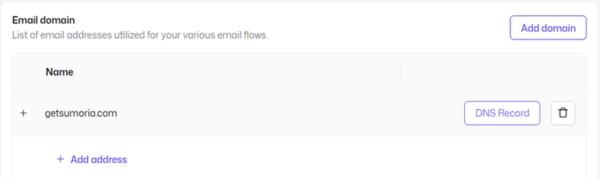
- Add an email address: Click + Add address below the newly verified domain, and the Add email address dialog will appear:
Once entered, click Add email address to save.
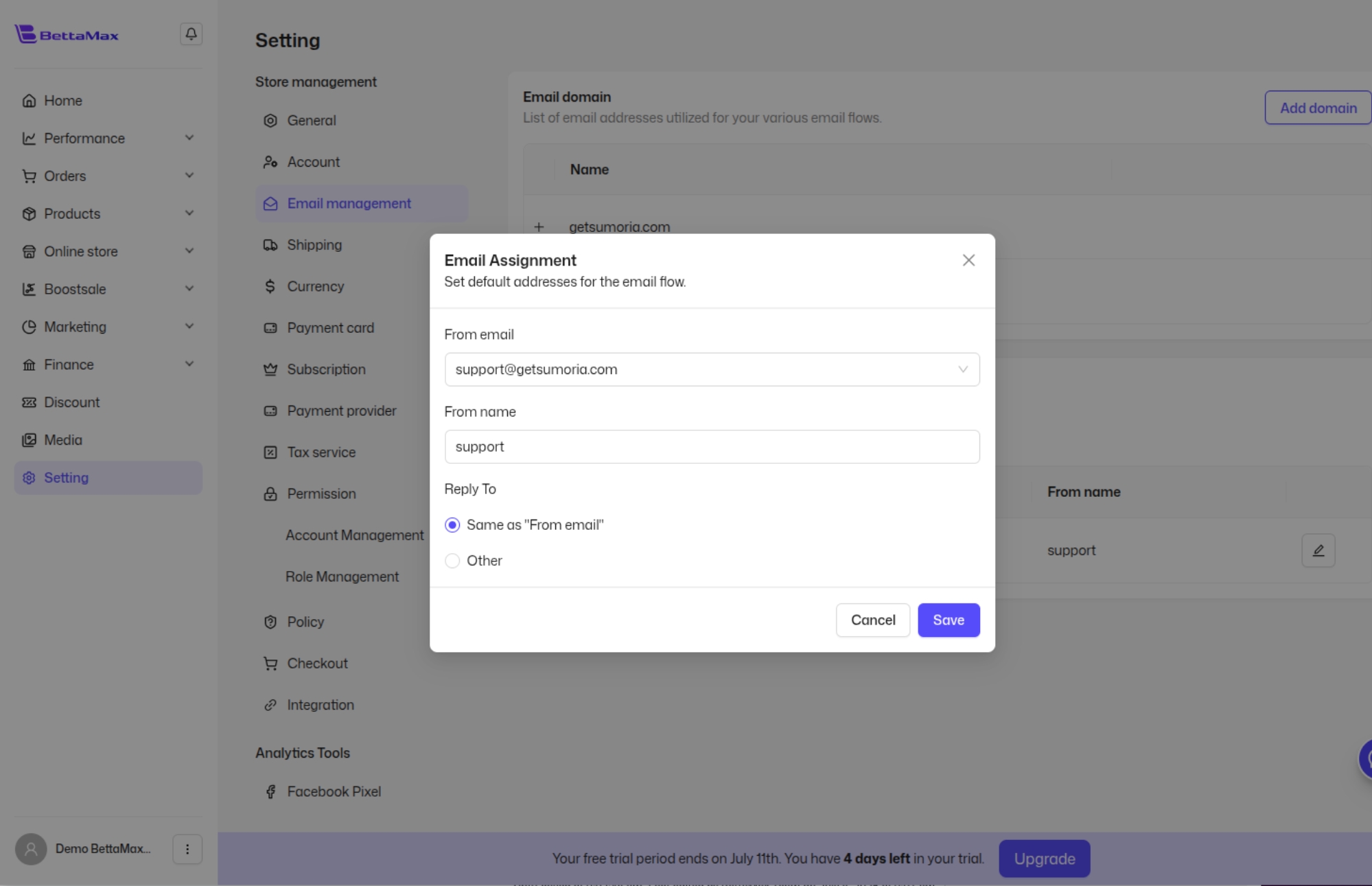
Step 5: Activate BettaMax Payments #
In the left navigation bar, select Setting → Payment provider.
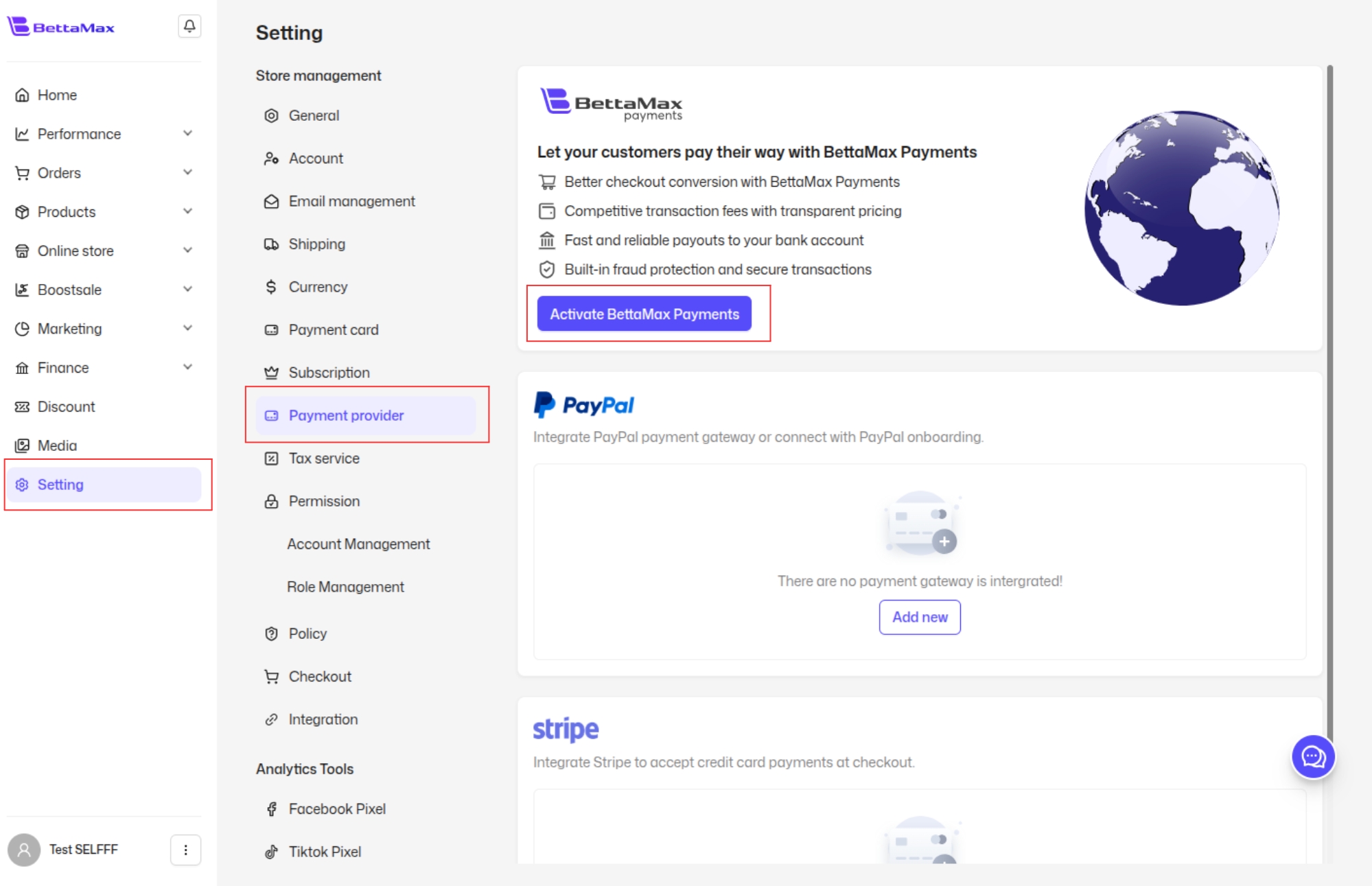
Here you’ll see the BettaMax Payments section with the following key benefits:
- Optimized conversion rate at checkout.
- Competitive, transparent transaction fees.
- Fast and stable payouts to your bank account.
- Built-in fraud protection and secure transactions.
Click Activate BettaMax Payments to begin the setup process.
Step 6: Fill in Setup Information #
On the Set up BettaMax Payments screen, fill in the following basic information:
- Payment name: The name of your payment account.
- Country/Region: Select the country/region where your business operates.
- Support email: Select the support email address (the one created in Step 4, e.g., [email protected]). This email is used to send order confirmation and order tracking notifications to customers.
- From name: The display name used when sending emails to customers.
- Reply to: The email address that receives customer replies (defaults to the Support email).
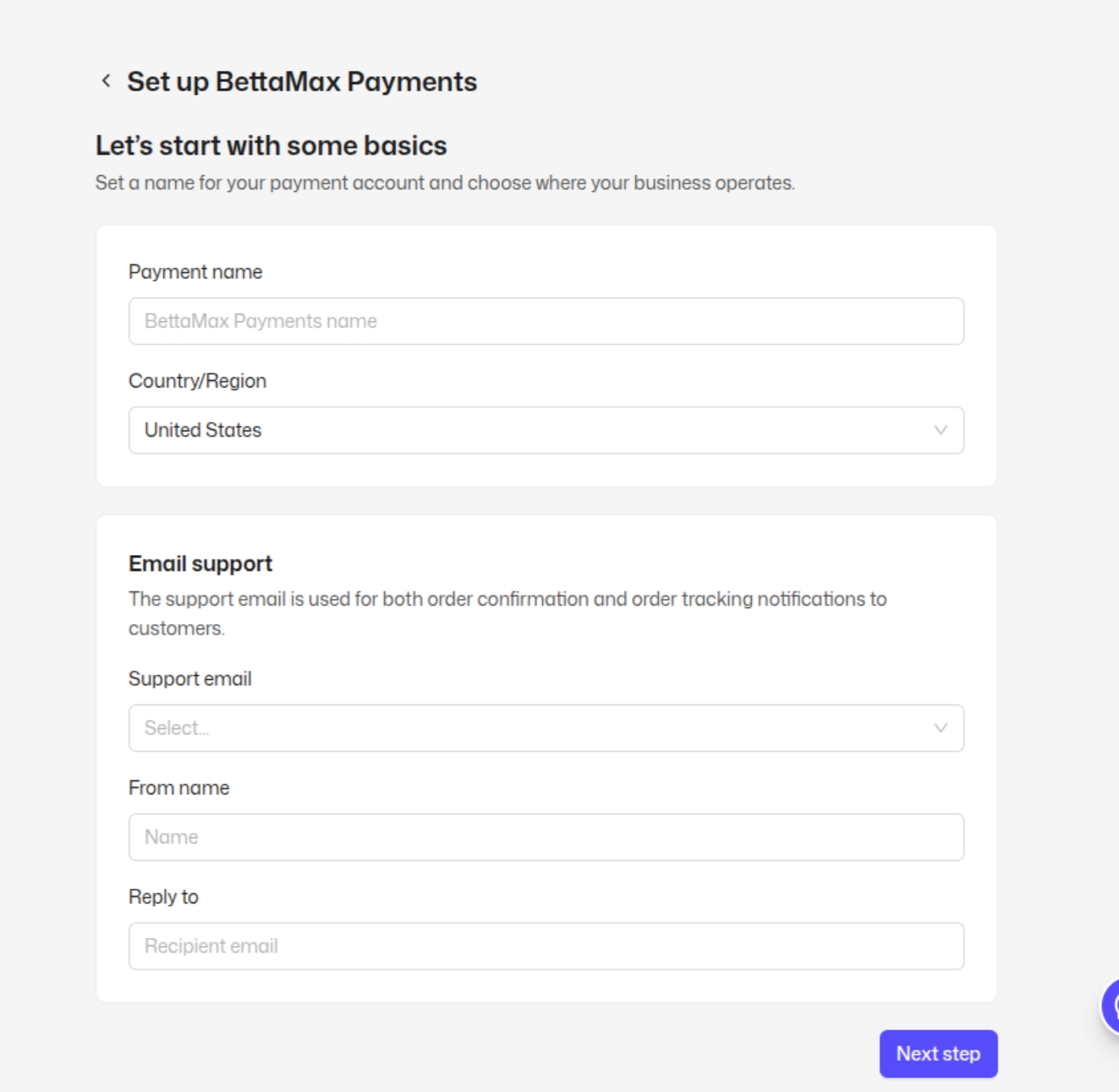
Once complete, click Next step to continue with the remaining setup steps and finish activating BettaMax Payments.