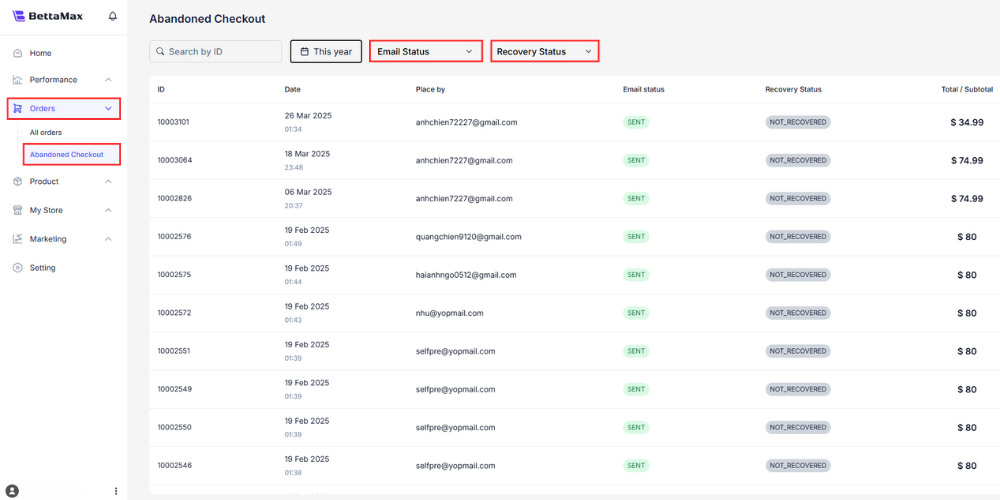
This guide will help you read and understand the metrics on the order management page in BettaMax. This includes the All Orders page and the Abandoned Checkout page . It takes approximately 3 minutes to read.
Trang All Orders #
The All Orders page displays all of the store’s orders. You can search, filter by status, and view details of each order.
Search and filter orders
BettaMax offers a search box and two groups of filters to narrow down the list of orders according to your needs.
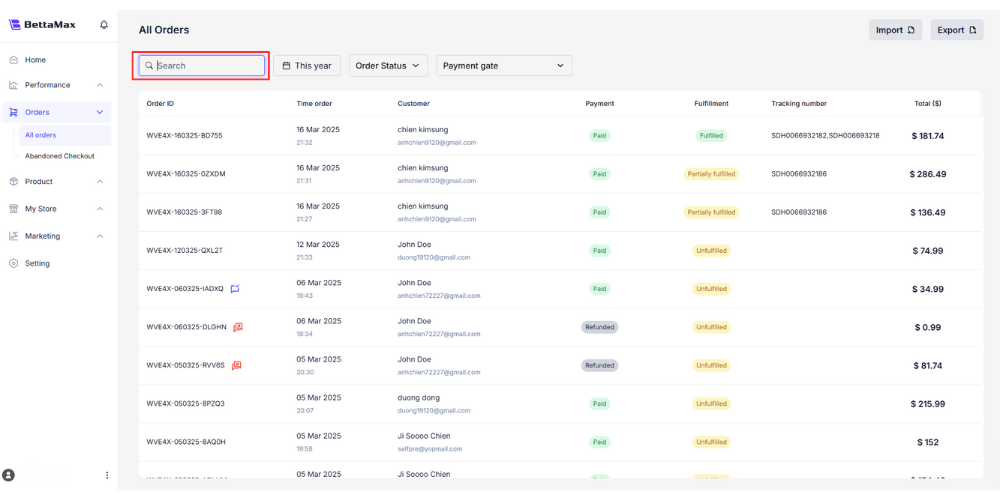
The Search box allows you to search by order number, customer name, email, or payment transaction code.
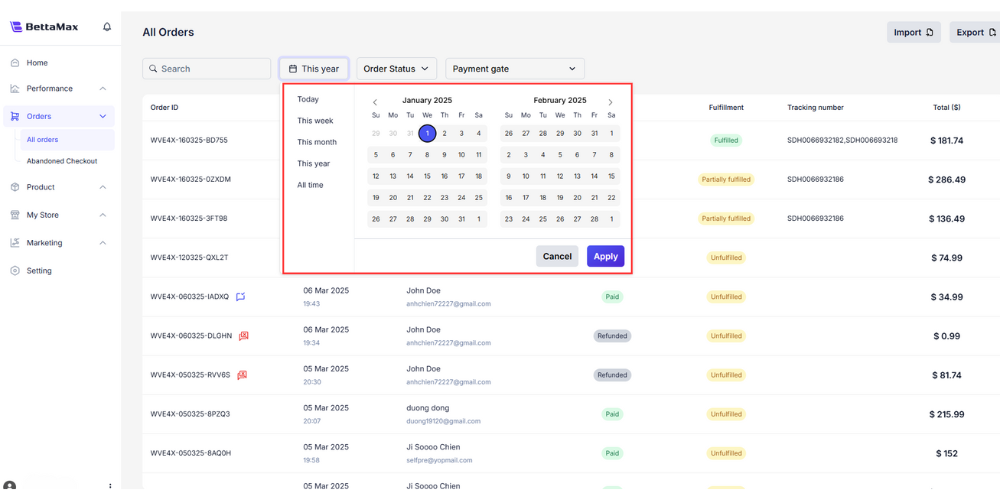
The time filter (calendar icon) includes the following options:
- Today
- This week
- This month
- This year
- All time
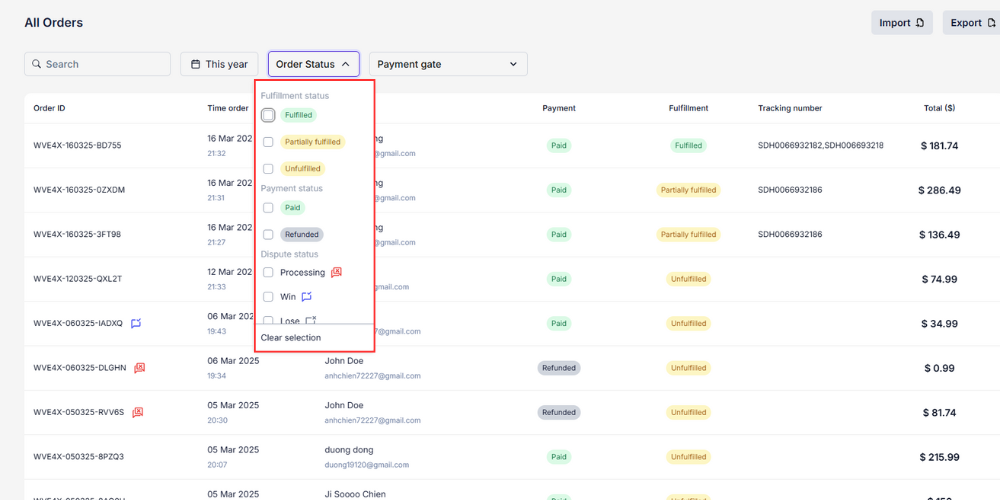
The Order Status filter divides statuses into three groups:
| Group | Status |
|---|---|
| Bill of Lading | Delivered / Partially Delivered / Not Delivered |
| Pay | Paid / Refunded |
| Complaint | In the process of appeal / Winning the case / Losing the case |
The indicators in the order form
The order form displays the following columns. Each column provides information about one aspect of the order.
| Index | Meaning |
|---|---|
| Order ID | The unique identifier of the order. |
| Time Order | Time when customers place orders |
| Customer | Customer information (name, email) |
| Payment | Order payment status |
| Fulfillment | Shipping and delivery status |
| Transaction ID | Transaction code issued by the payment gateway. |
| Total | Total order amount, updated after refund or loss of claim. |
View details of each order
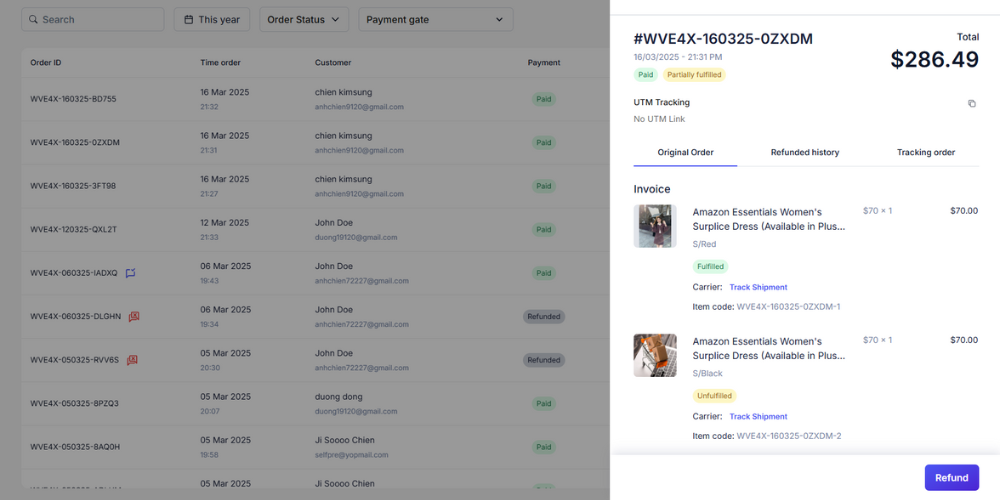
Click the eye icon next to Order ID to open the order details page. The details page has three tabs:
- Original Order : Overview of the order, including the seller and the customer.
- Refunded History : A history of refunds, recording the time, amount, and reason for each refund.
- Order Tracking : Real-time shipping progress.
Trang Abandoned Checkout #
The Abandoned Checkout page lists customer sessions that have started the checkout process but haven’t completed payment. Monitoring this page allows you to intervene promptly to increase conversion rates.
Truy cập: Orders > Abandoned Checkout.
The page displays two important metrics:
- Email Status : indicates whether the reminder email has been sent to the guest.
- Recovery Status : indicates whether the customer has opened the email and completed the order.