
This guide will help you update your product information on BettaMax, including photos, titles, descriptions, prices, and reviews. It takes about 5 minutes.
Before we begin:
- I have logged into my BettaMax account.
- There is already at least one product in My Product.
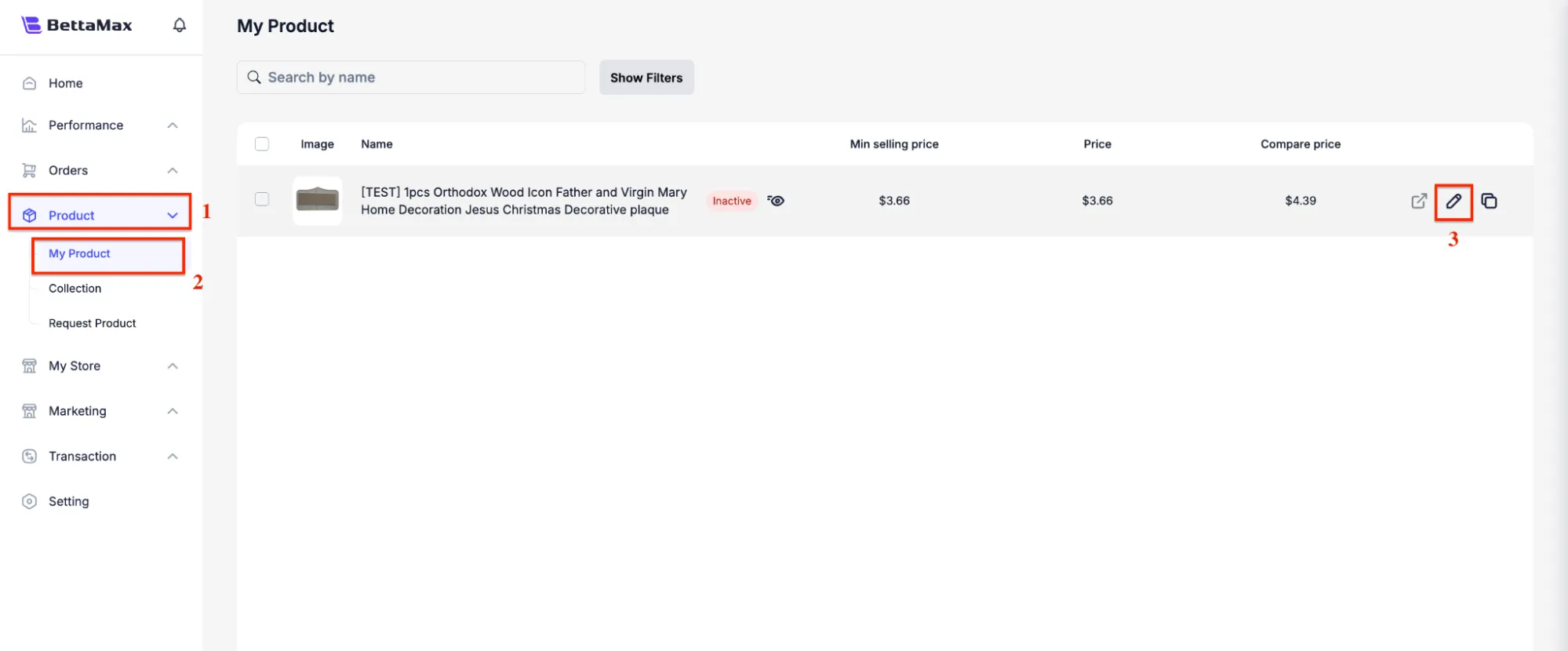
Step 1: Open the product editing page. #
- From the menu on the left, select Product .
- Select My Product .
- Find the product you want to edit, then click the edit icon (pencil shape) in the bottom column.
Step 2: Update basic information #
The editing page consists of four main sections: product link, image, title, and description.
- Product link: View and copy the product link by clicking Copy next to the link.
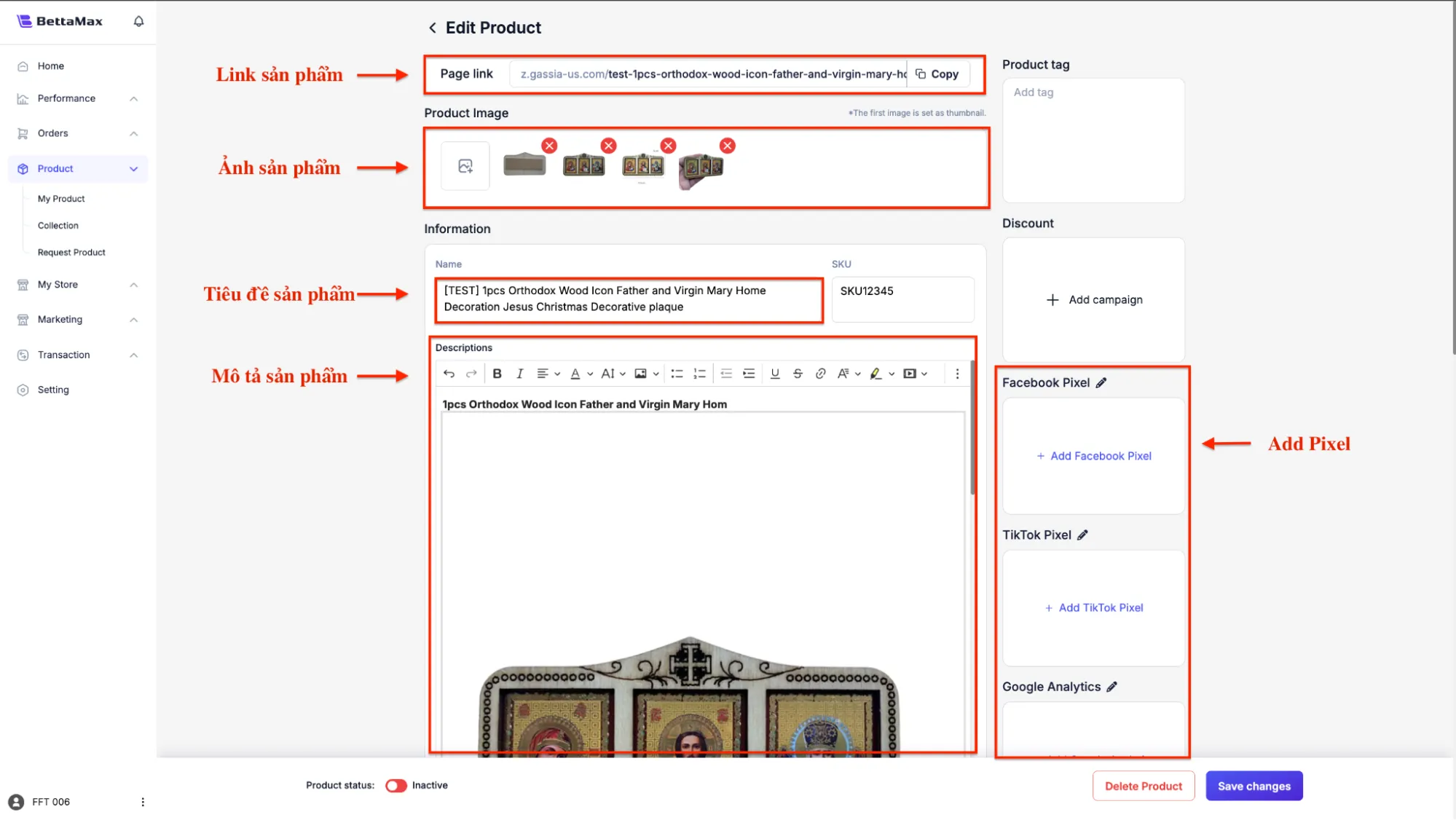 Tip: Use short, concise link names (1-2 words) to make it easy for customers to find and remember.
 - Product image: Download the image to your computer, then click Upload to add the image to the product page.
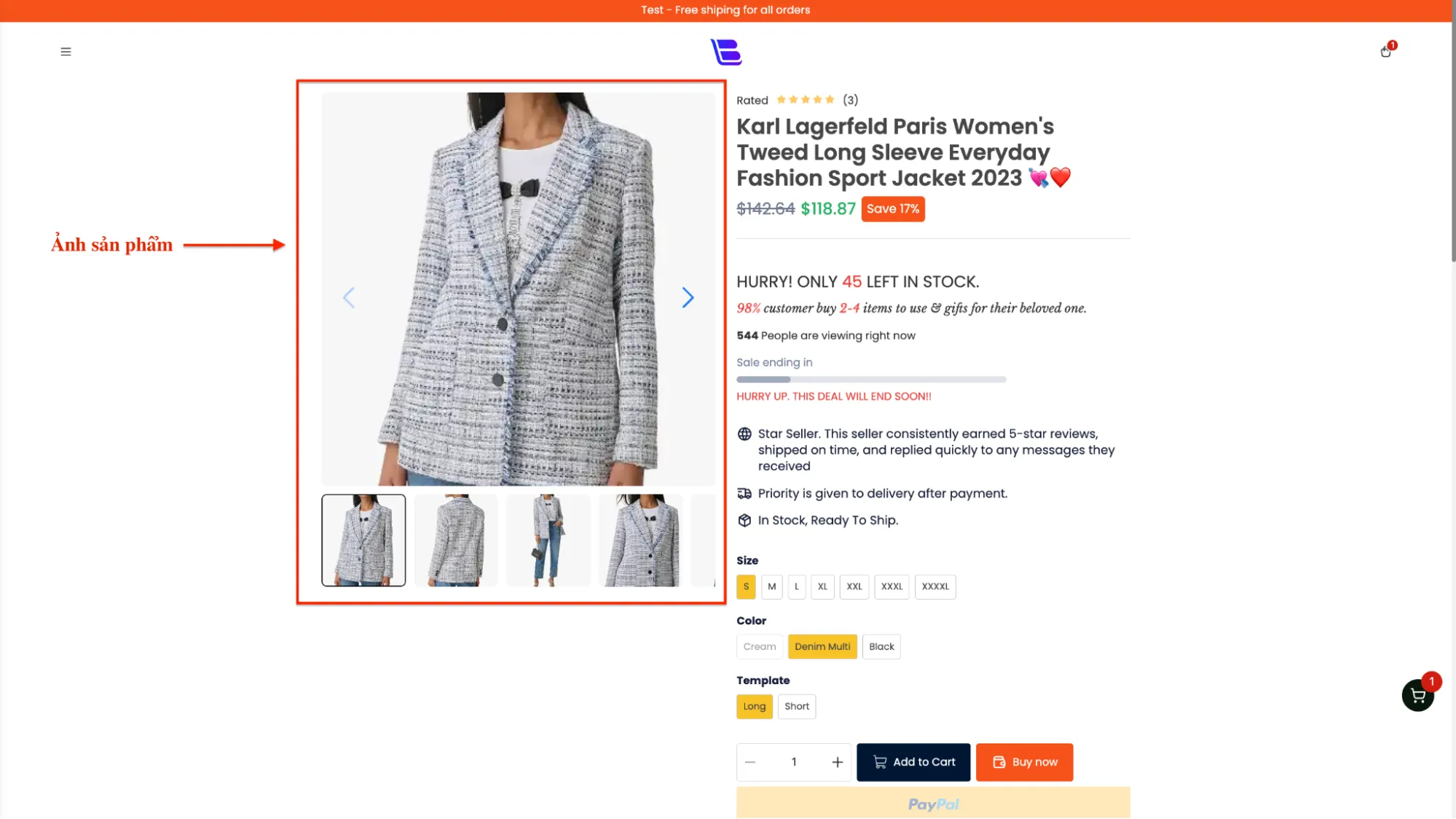 Note: The platform only supports image files under 10 MB. If the image is too large, use imagecompressor.com to reduce its size before uploading.
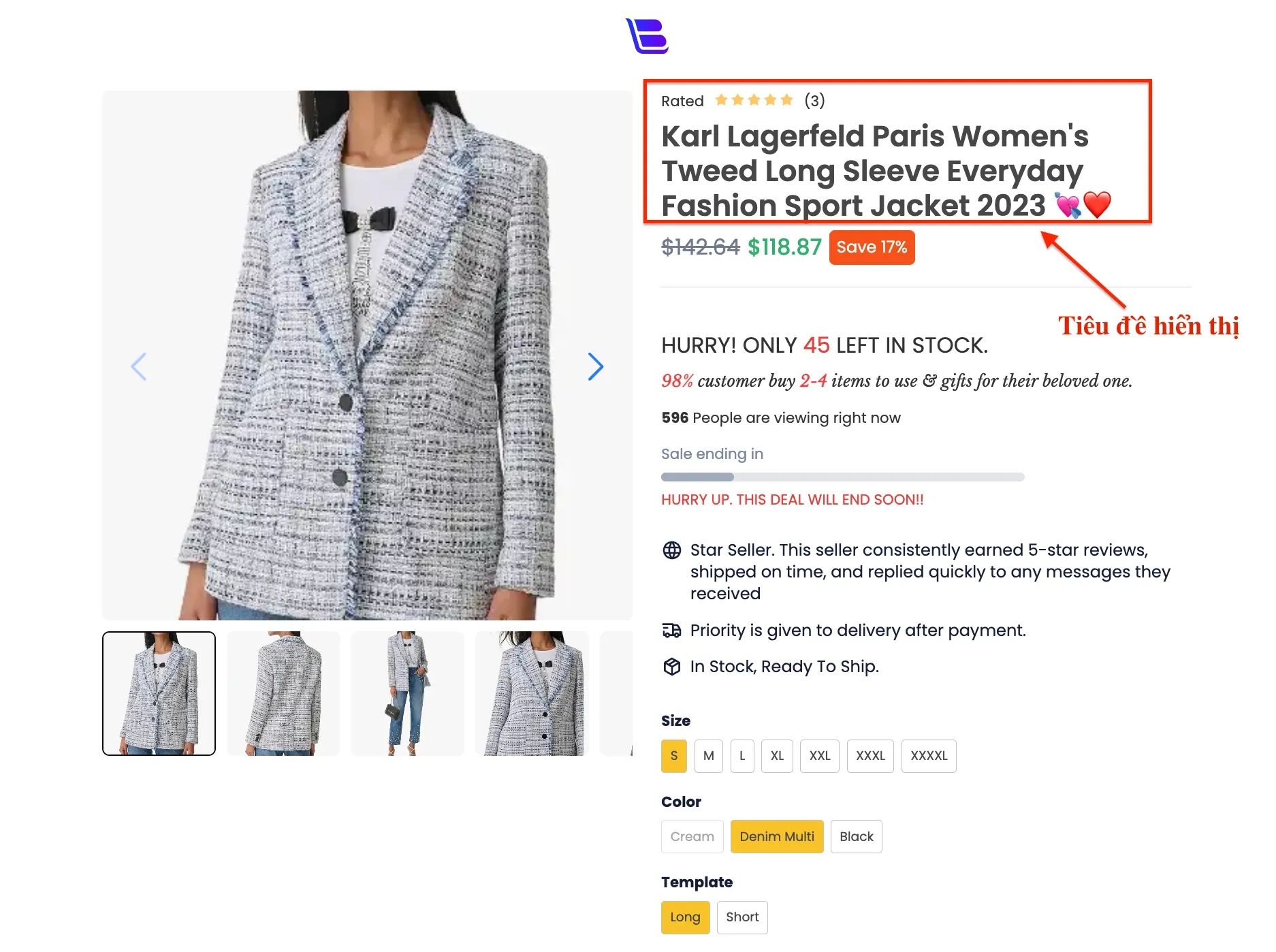
 - Product Title: Enter the product name in the Title field . This name will be displayed on the sales page.
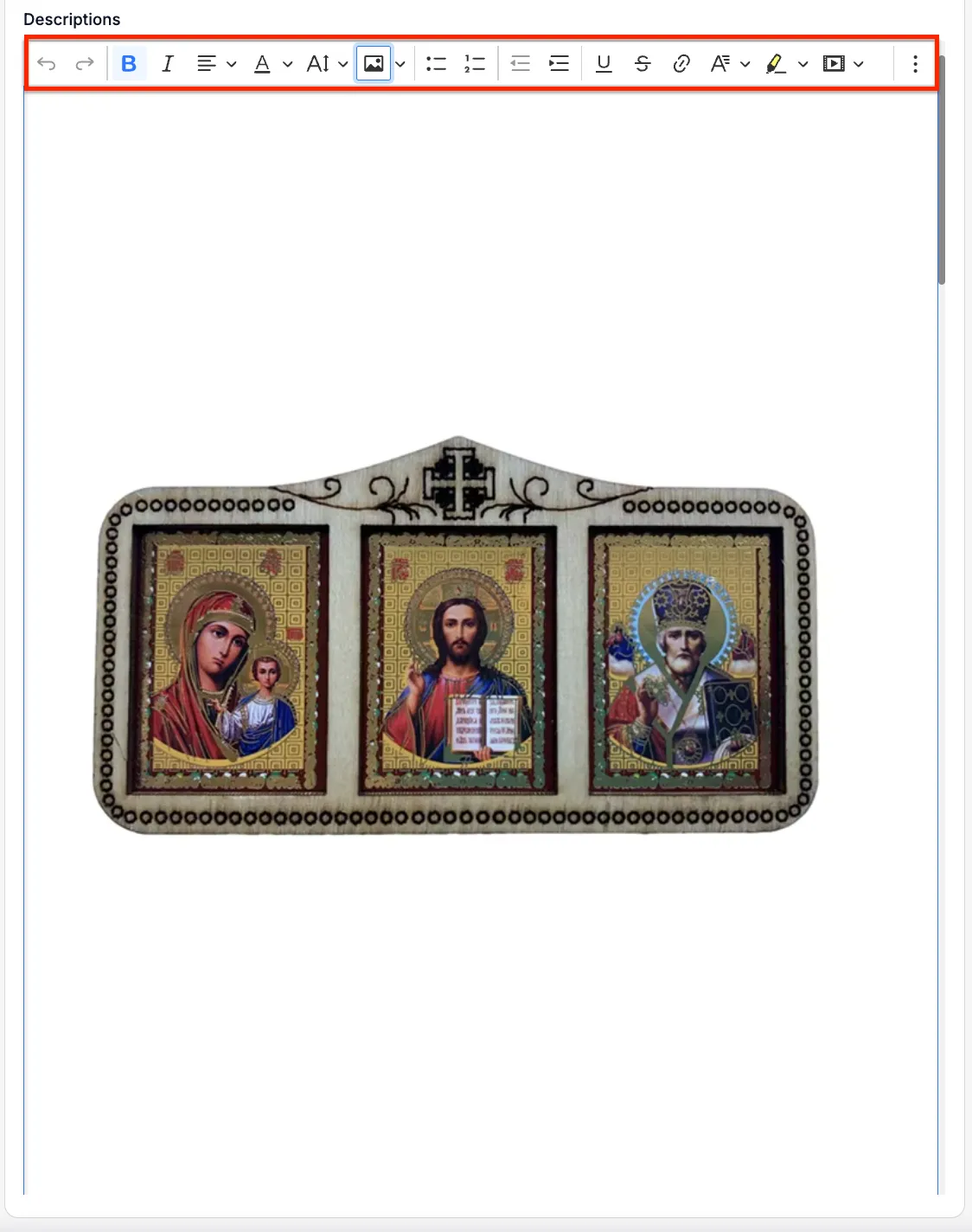
- Product description: Edit the description content using the toolbar, including bolding, italics, text alignment, and adding images.
Step 3: Update the selling price. #
- Enter the price in the Selling Price field .
- Enter the original price in the Comparison Price field if you want to display the discounted price to customers.
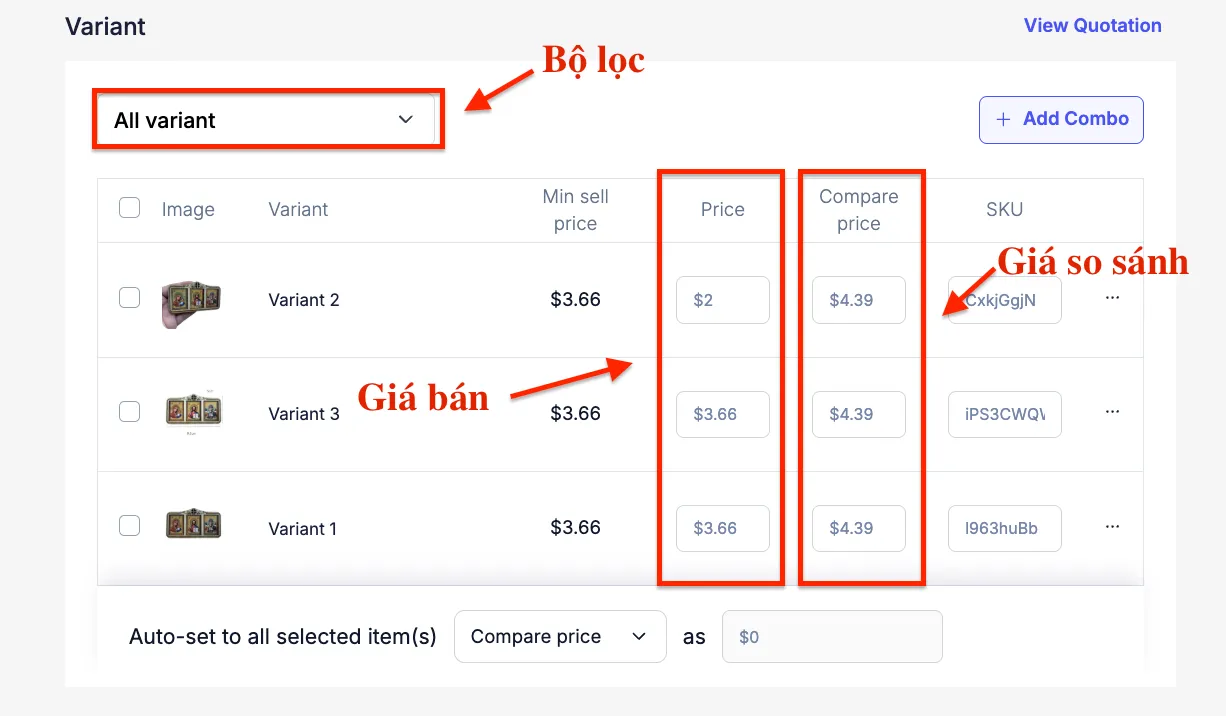 Note: The comparison price must be higher than the selling price. If left blank, the product page will not display the original price.
Step 4: Add product reviews #
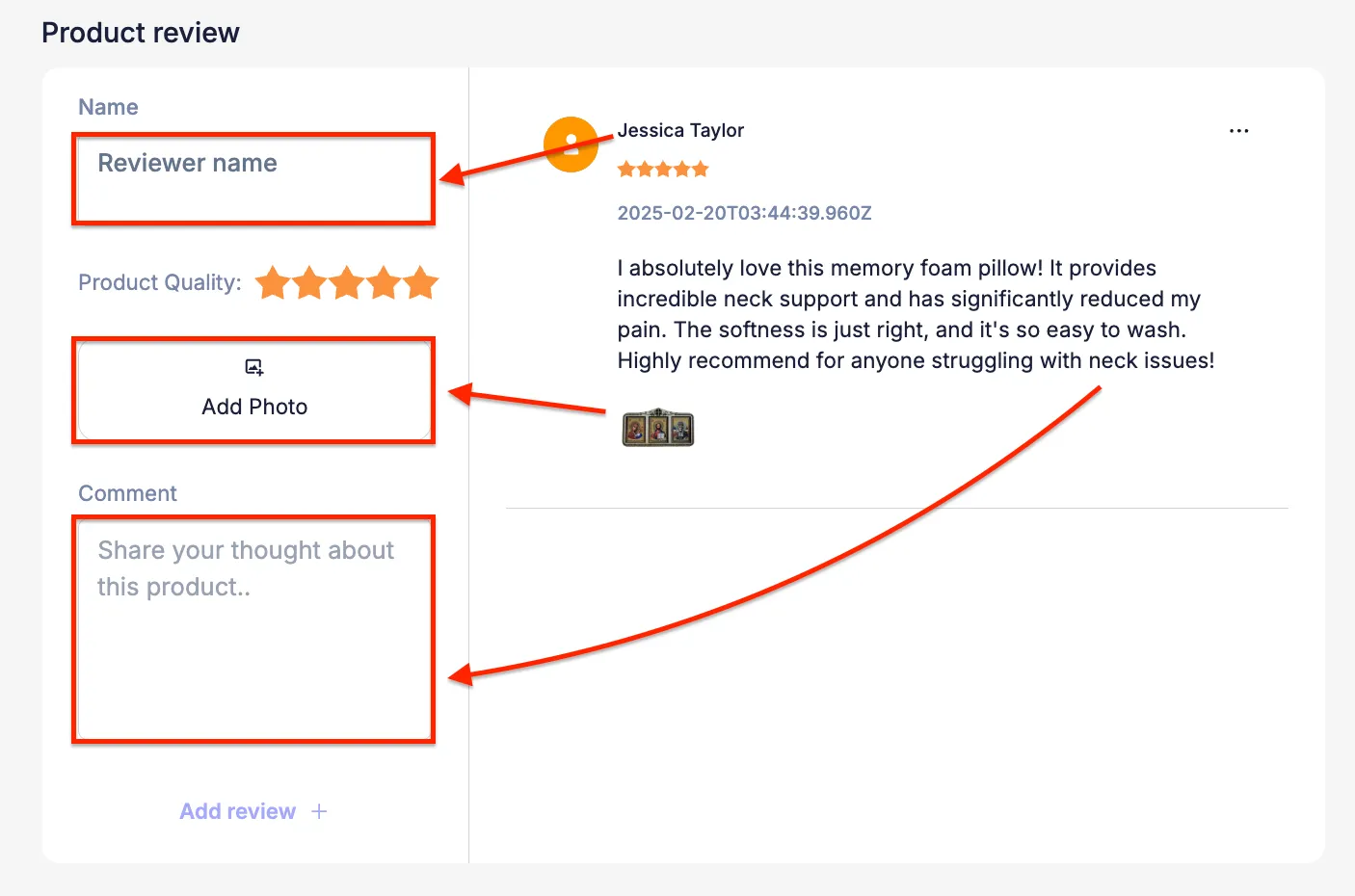
- Scroll down to the Review section and fill in any additional review information you need.
- Check if the product status has switched to Active .
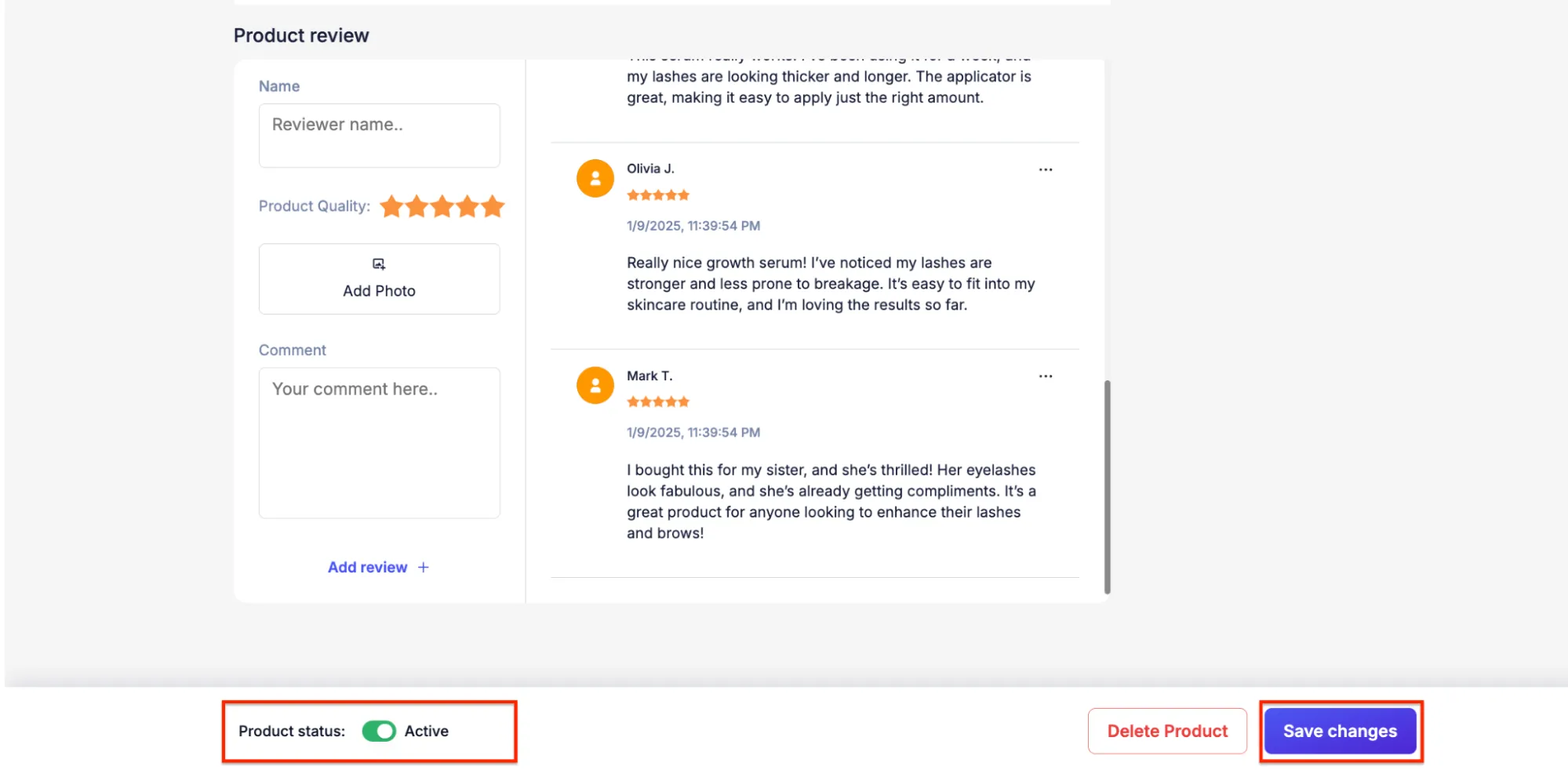 Warning: If the status remains Inactive , the product page will not display to customers even if saved.
 - Click Save to save all changes.
Step 5: Check the product page #
- Click the preview icon (arrow or open page icon) to open the product page in a new tab.
- Check that the image, title, description, and price displayed match the edited images.
Tip: After saving, wait about 30 seconds before opening the preview page to avoid seeing the old version still in your browser cache.