
If you’re struggling with spending too much time setting up product pages for your store, don’t worry, the Create Template feature is exactly the solution you need. In this article, BettaMax will explain what Create Template is and guide you through four simple steps to use this feature efficiently.
What is the Create Template feature?
The Create Template feature allows BettaMax Sellers to easily copy an existing Product Page Template that has already been customized. After duplicating, you can apply the new template to a specific product or a group of products. This helps save significant time, ensures design consistency, and allows you to quickly deploy optimized sales page layouts across multiple products.
Steps to Use the Create Template feature
Follow the steps below to reate and apply a product page layout:
Step 1: Access the Theme Editor
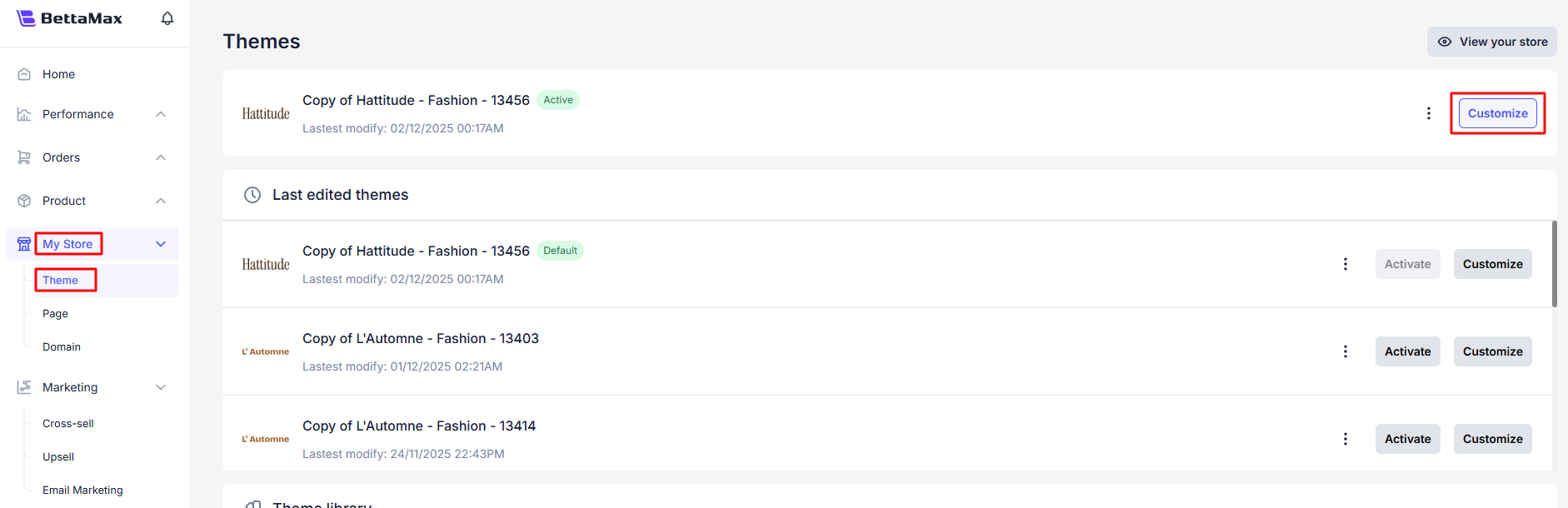
From the BettaMax admin dashboard, go to “My Store”.
Select “Theme.”
On the currently Active Theme, click “Customize.” This action will take you into the Theme Editor.
Step 2: Start Creating a Duplicate
Inside the Theme Editor, look at the top navigation bar and click the dropdown that shows the current page (e.g., “Home Page” or “Product page”).
Select “Product page.”
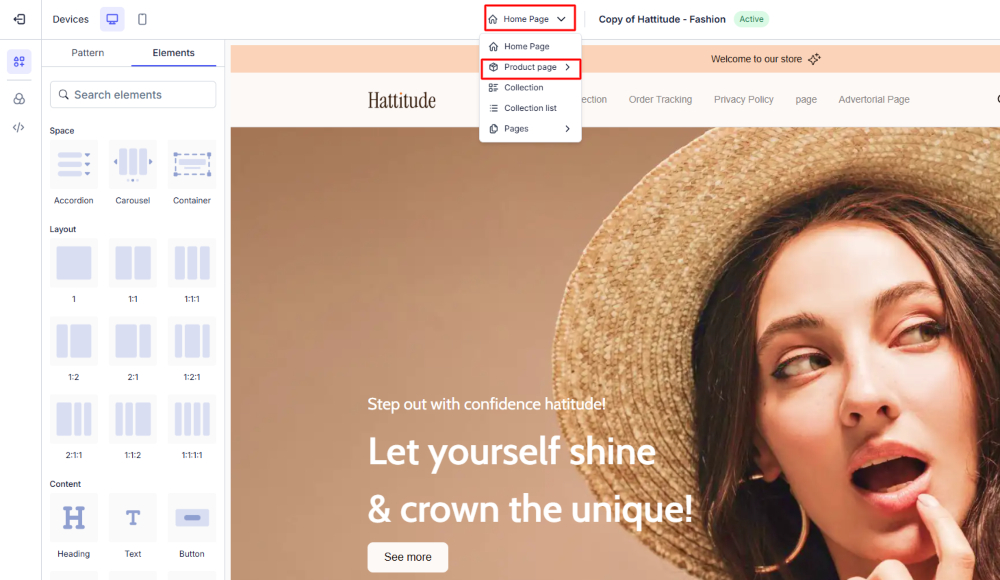
At the bottom of the template list, click “Create template.”

Step 3: Name the Template and Assign Products
A “Create template” dialog box will appear:
Template name: Enter a name for your new template. Note that the name must be unique.
Duplicate from: Choose the template you want to duplicate.

Assign product: This is a crucial step to apply the new template. You can choose between:
Selecting “Only selected product(s) will use this template.”
Using the product search to select products you want to assign to the Create emplate.
Once done, click “Create.”

Step 4: Review and Edit
A notification saying “Create template successfully!” will appear.
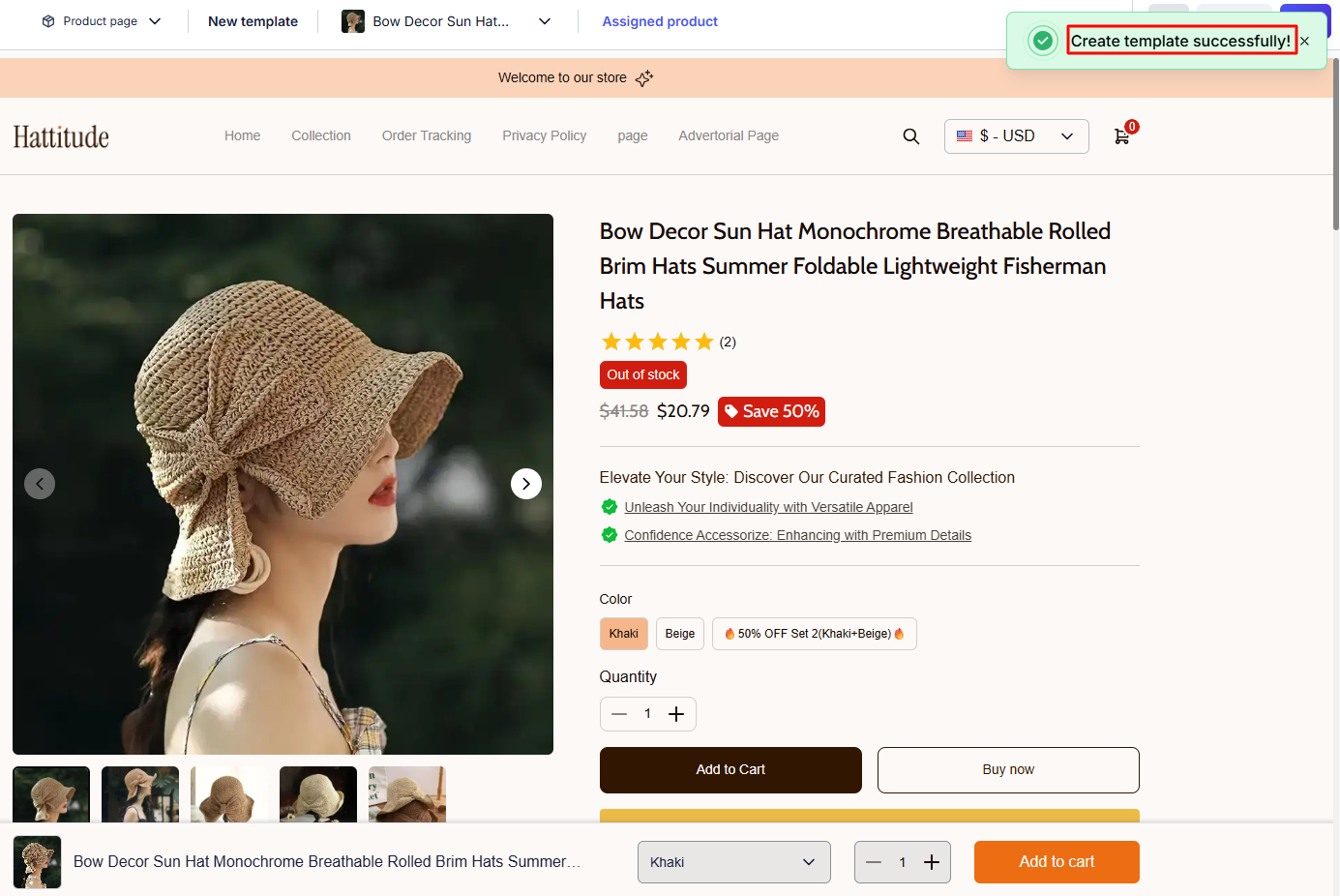
The Product Page in the editor will automatically switch to your newly created template and display the assigned products.
Now, you can edit any elements within this new template, and all changes will apply only to the selected products.
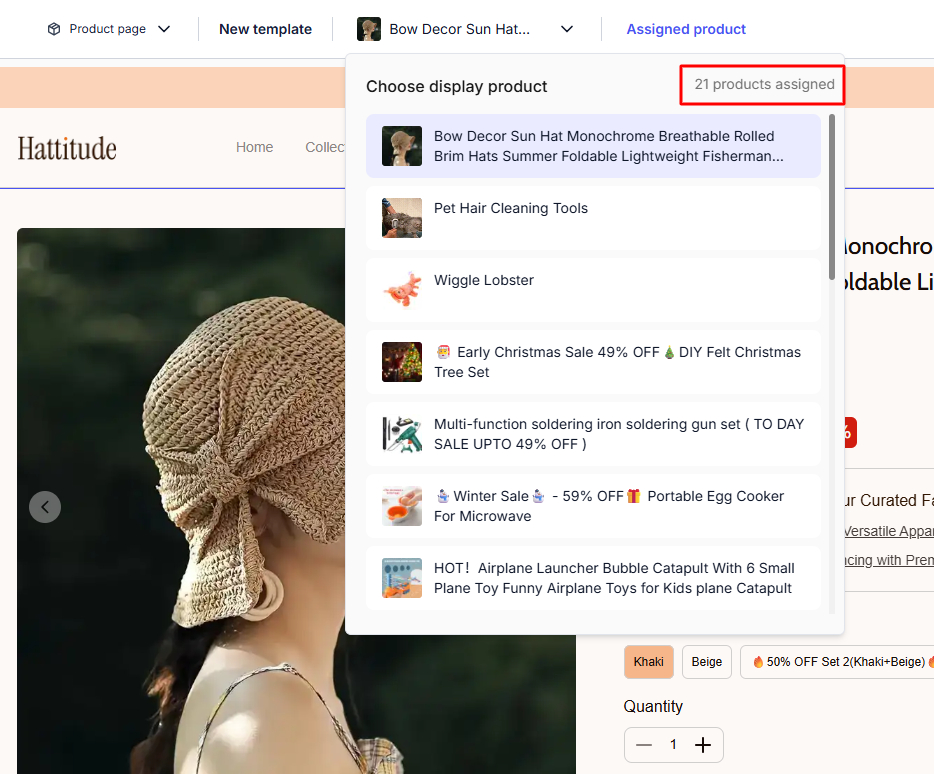
This feature is ideal for creating unique product pages for advertising campaigns or for product groups requiring custom layouts.
Conclusion
The Create Template feature on BettaMax is an essential tool to help you overcome time and layout management challenges when customizing product pages.
Start using Create Template today to speed up product deployment, optimize your storefront, and focus more on scaling your business on BettaMax!