
Why free shipping is a secret weapon in E-commerce
There’s something about the word “free” that instantly grabs attention – especially when it comes to shipping. Whether it’s a free sample, free returns, or free delivery, these perks can significantly influence purchase decisions.
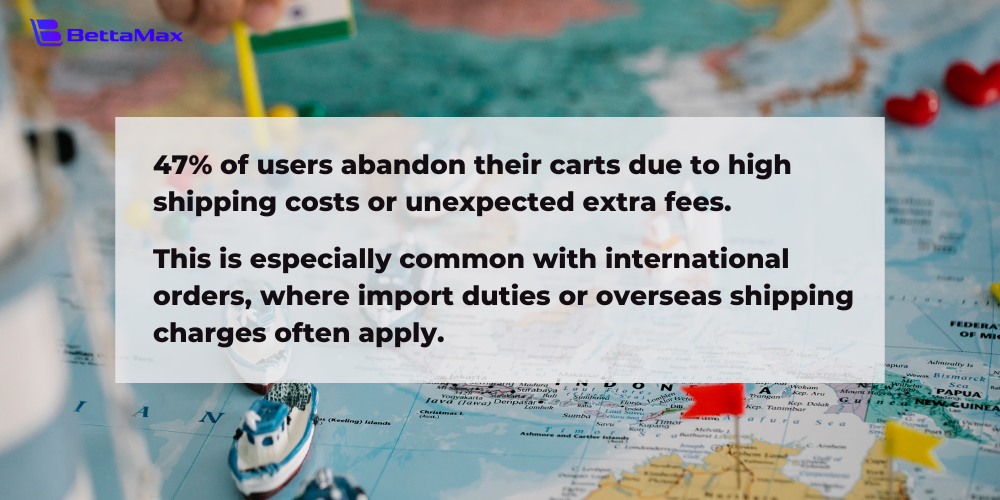
In fact, a study by Baymard found that 47% of online shoppers abandon their carts due to unexpected shipping costs or extra fees. That number jumps even higher when international orders are involved, thanks to added taxes and cross-border delivery fees.
By removing shipping costs at checkout, you can lower cart abandonment rates and create a smoother path to purchase. Even better, offering free shipping can earn customer trust and encourage repeat purchases, all while strengthening your brand’s reputation.
What to prepare before offering free shipping
Free shipping is a powerful way to drive revenue, but it’s important to set it up smartly so it doesn’t eat into your profits. Here are three key factors to keep in mind:
Manage international shipping costs
Shipping fees vary widely depending on the destination. Be strategic: consider offering free shipping only in select regions or countries where you can absorb the cost more easily.
Protect your product margins
Offering free shipping doesn’t mean taking a loss. Make sure your product margins are high enough to offset delivery costs. This helps ensure long-term profitability while keeping your offer attractive.
Set a minimum purchase threshold
One smart way to make free shipping work is by requiring a minimum order value. This not only protects your margins, but also increases average cart value – encouraging shoppers to spend a little more to unlock free delivery.
How to set up free shipping on BettaMax
The Freeship setup is currently done directly within the Discount section and offers two main forms: Discount Code or Automatic Discount.
1. Create Free Shipping with Coupon Code
This form requires customers to enter a new code to get free shipping.
Step 1: Go to Discount page & Select discount type:
Vào Dashboard và chọn tên tài khoản ở góc trái để mở phần hồ sơ.
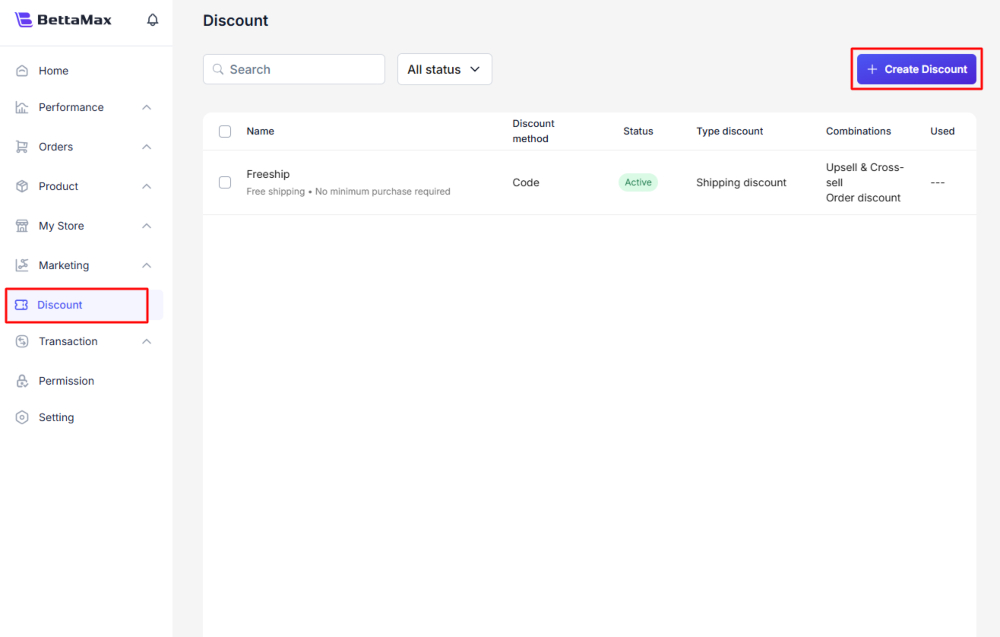
- In the left navigation bar, select Discount.
- Click the Create Discount button in the upper right corner.
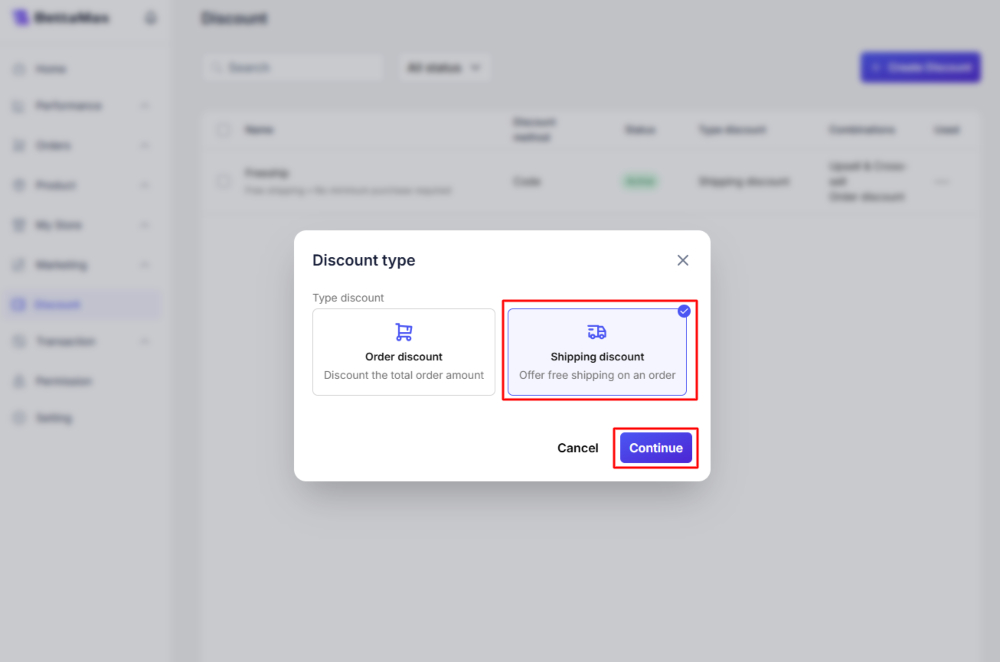
- In the dialog box that appears, select Shipping discount.
- Click Continue.
Step 2: Set up the Discount Code details:
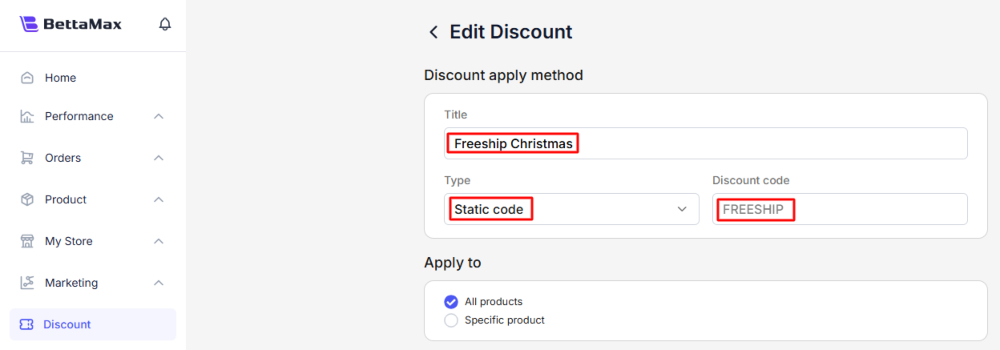
- Title: Enter a name for the discount campaign (Example: “Freeship Christmas”).
- Type: Make sure Static code is selected.
- Discount code: Enter the code the customer will use (Example: FREESHIP). You can also click Auto-generate to have the system automatically generate the code.
- Apply to: Select the products to apply to:
- All products.
- Specific products: Click the search box and select (or search for) the product you want to apply.
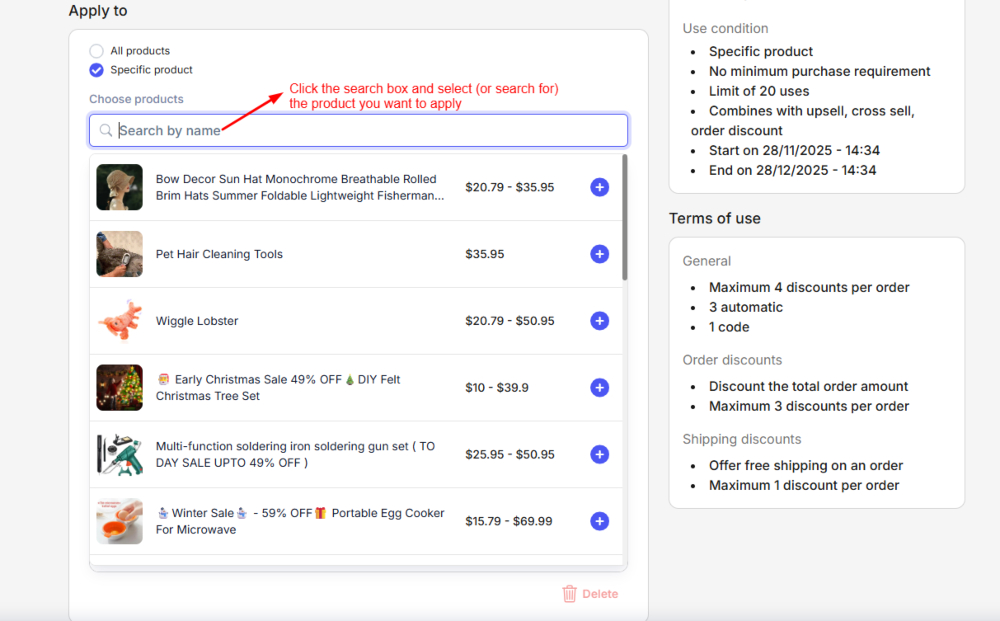
Step 3: Minimum Purchase Requirement Settings:
- None (No minimum requirement).
- Minimum purchase amount (Minimum order value): Set a minimum price level (e.g., $35 USD).
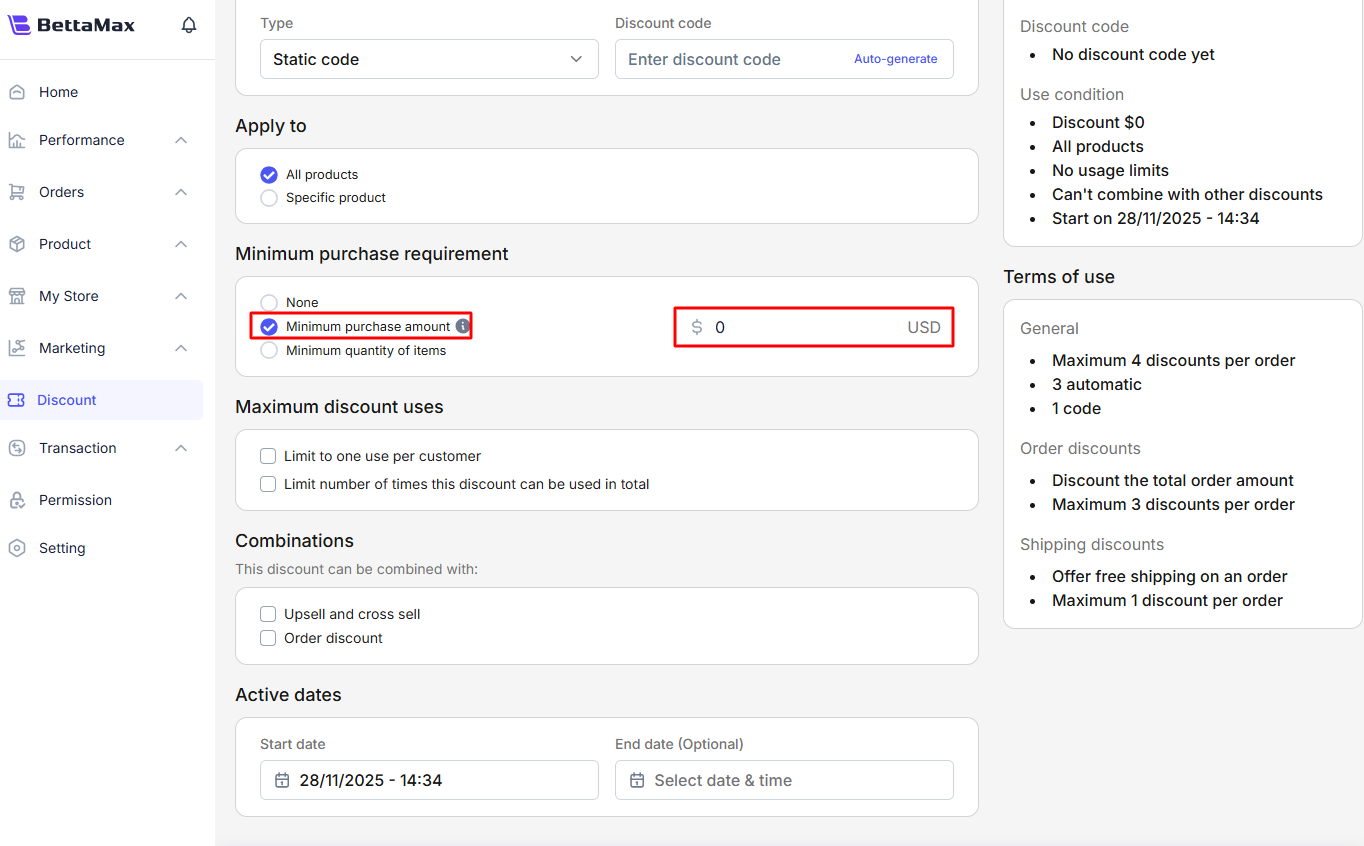
- Minimum quantity of items (Minimum product quantity): Set a minimum number of items (e.g., 1 item).
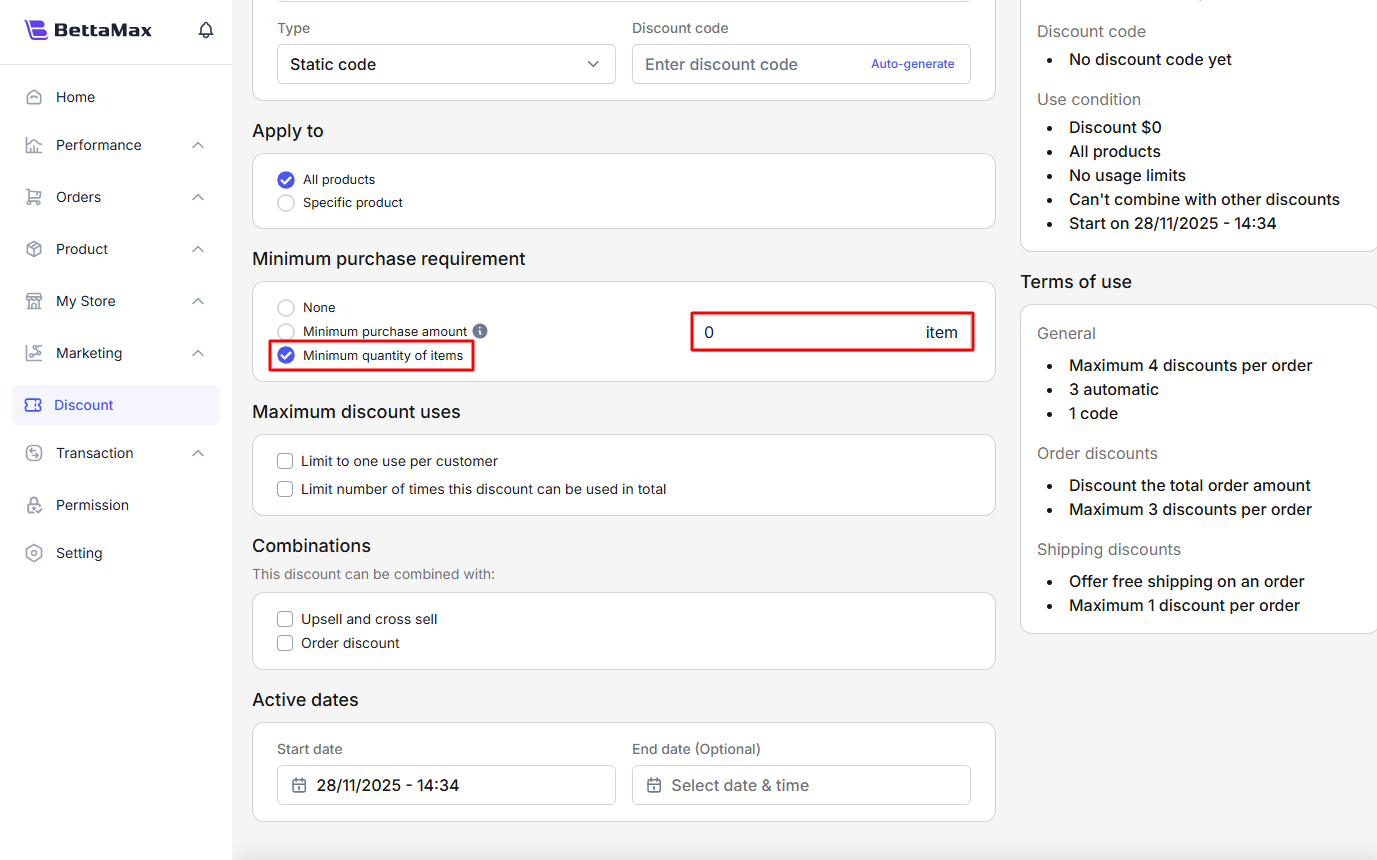
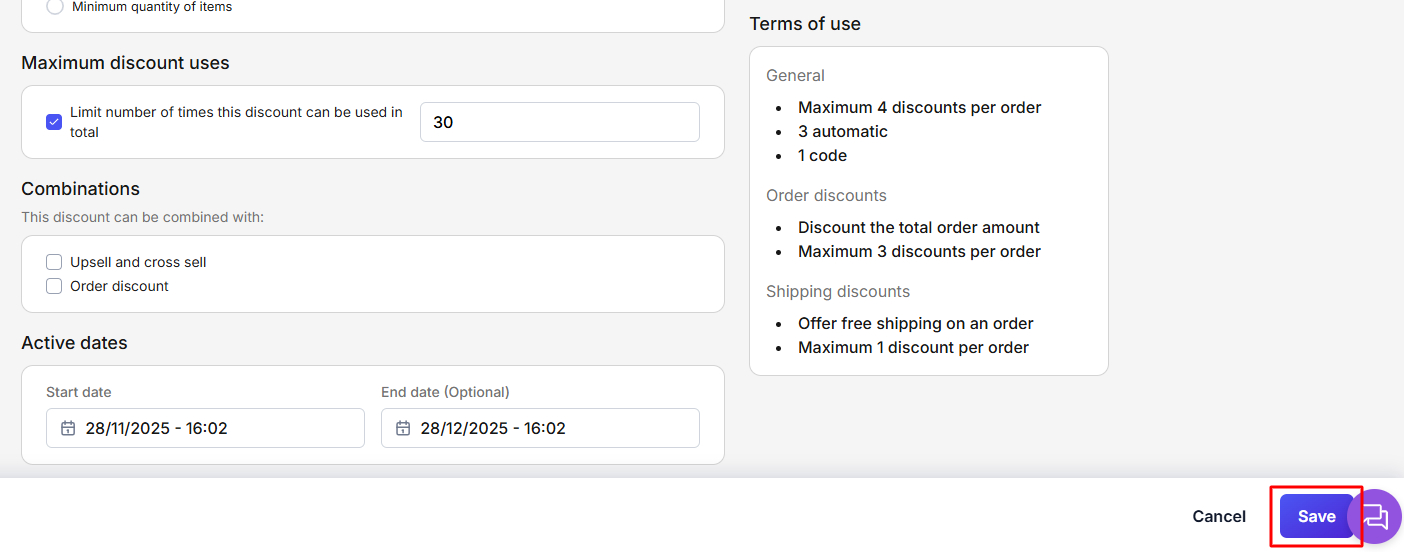
Step 4: Maximum discount uses Settings:
- Limit to one use per customer (Limit to 1 use/customer).
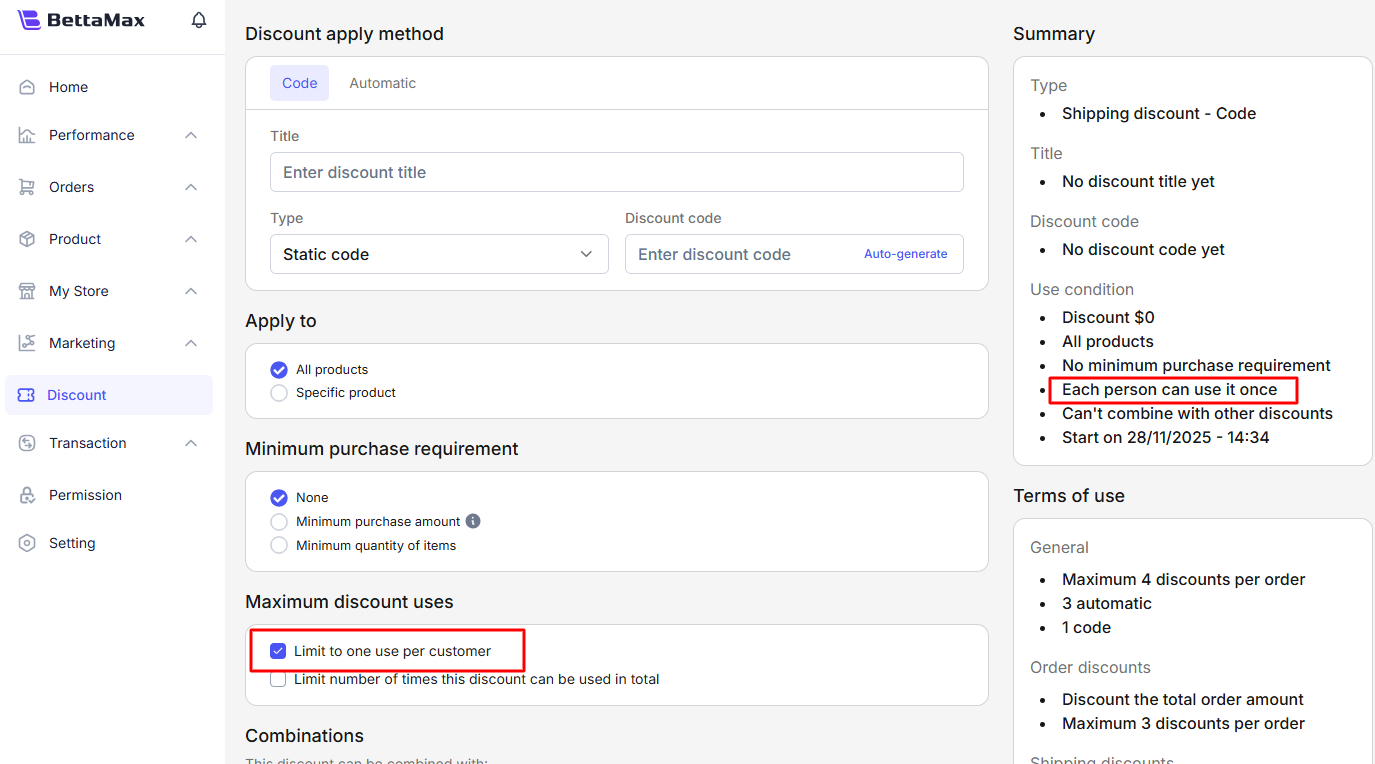
- Limit number of times this discount can be used in total (e.g: 30).
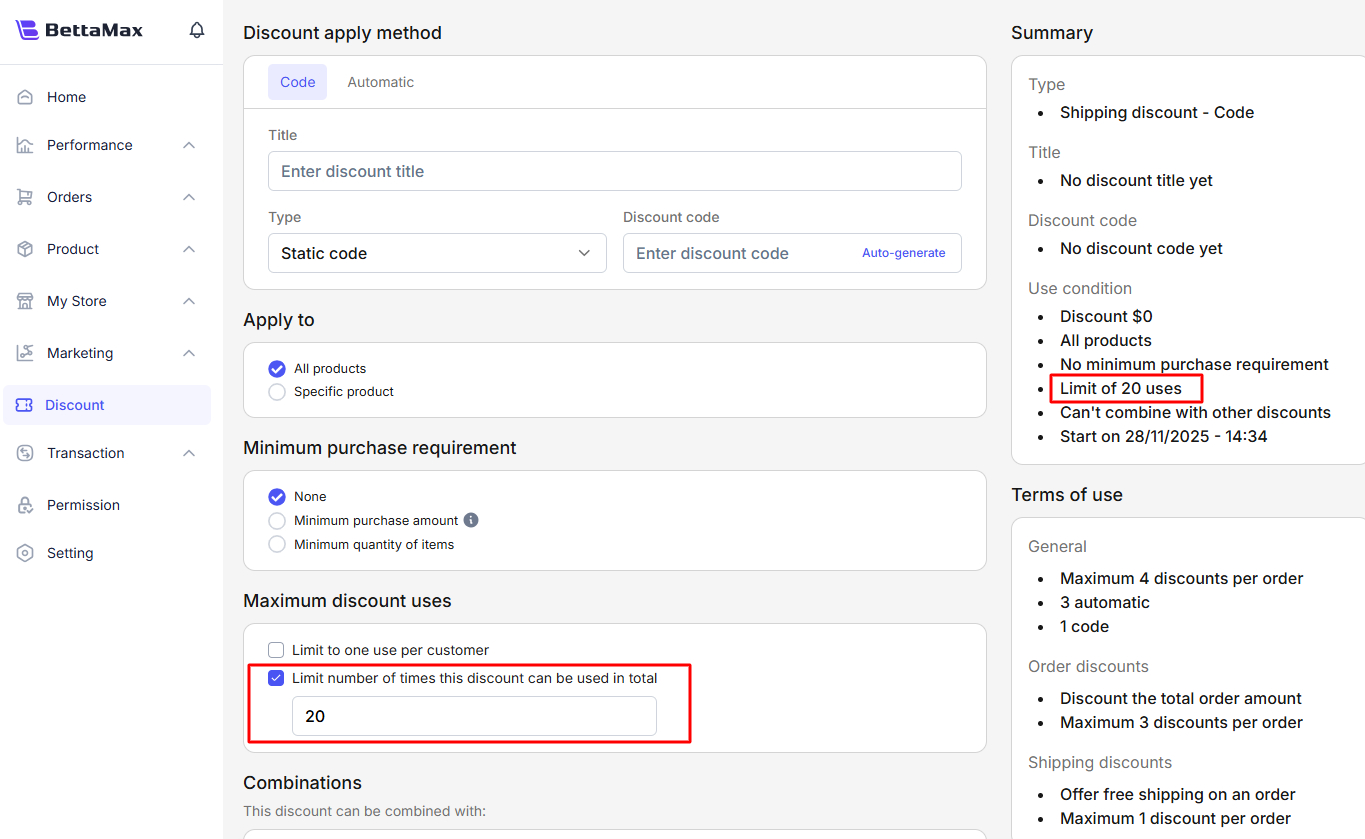
Step 5: Combinations Settings:
Select other discounts that this Freeship can be combined with (Example: Upsell and cross-sell and Order discount).
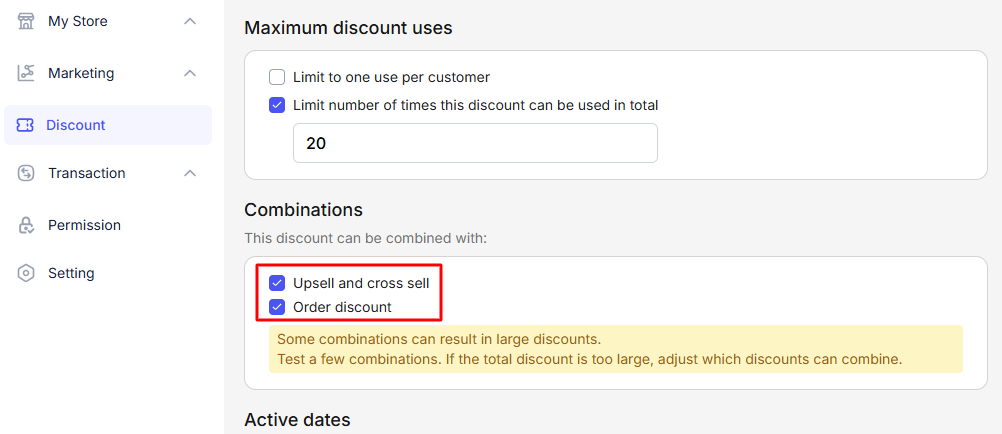
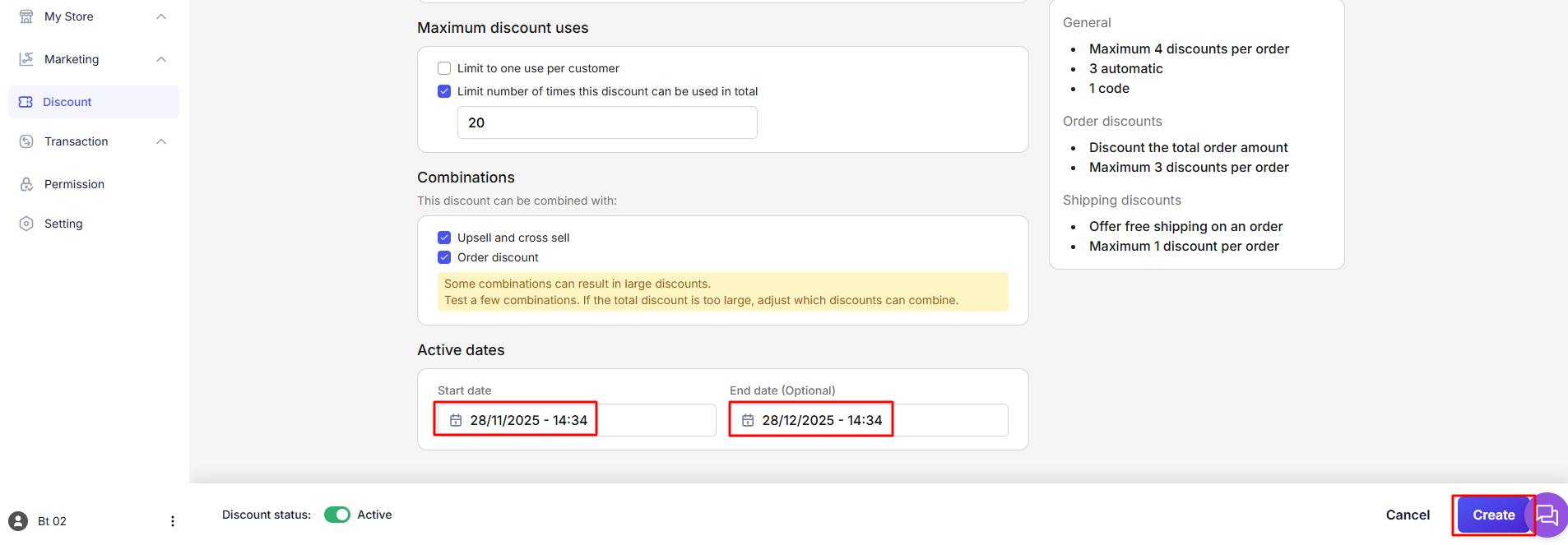
Step 6: Active dates Settings:
Start date.
End date (Optional).
Step 7: Save: Click Create to complete.
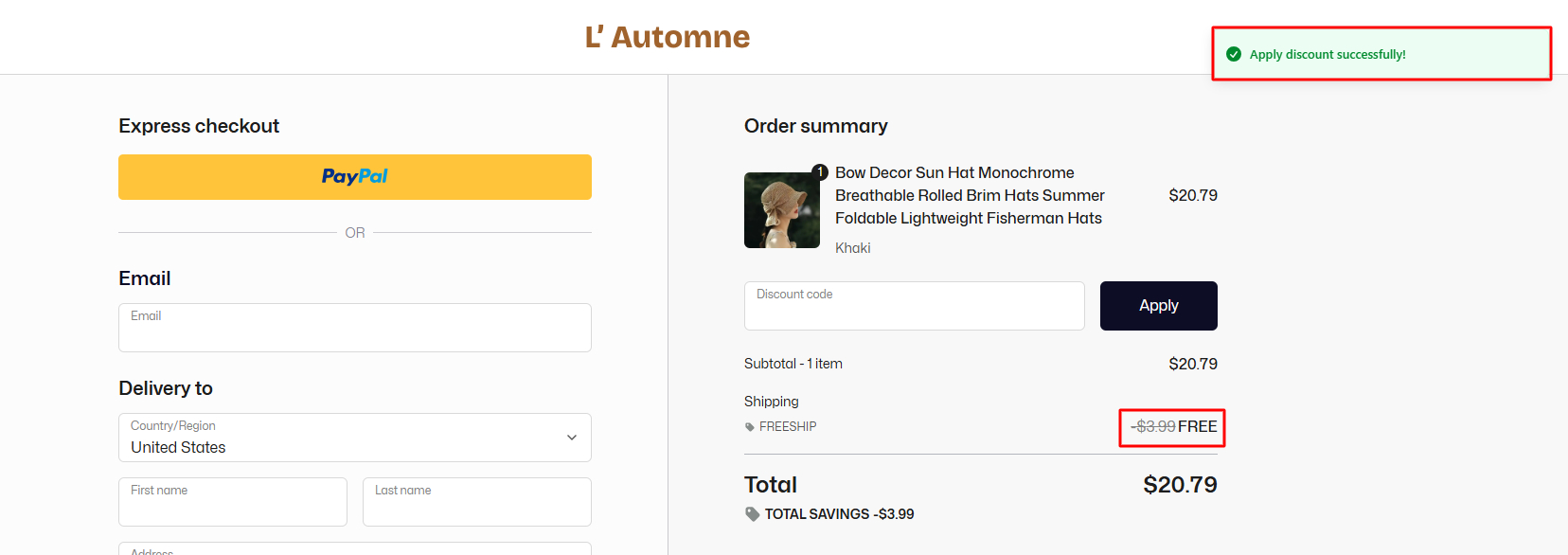
Check the result (Discount Code):
When the customer purchases the selected product and enters the code (FREESHIP) at the payment page, the Shipping fee will be displayed as FREE.
2. Create Automatic Freeship
This form is automatically applied when the customer meets the conditions (no need to enter a code).
Steps:
Step 1: Create Automatic Discount:
- In the navigation bar, select Discount → Create Discount.
- Select Shipping discount → Continue.
- Click the Create Discount button in the upper right corner.
- In the Discount Method section, select Automatic.
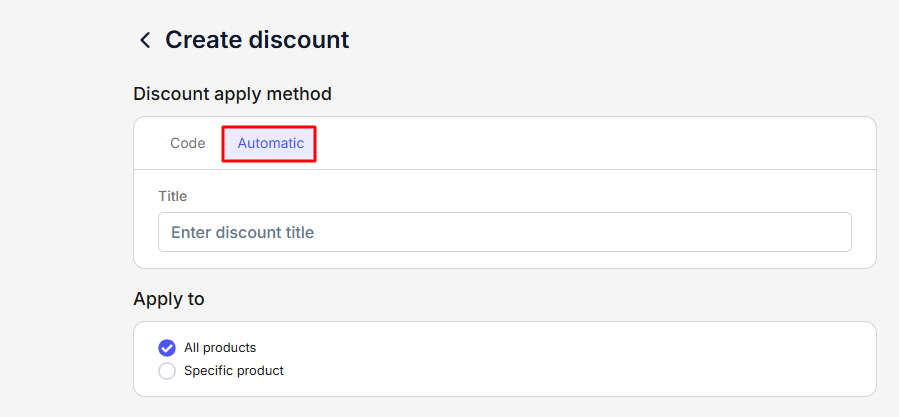
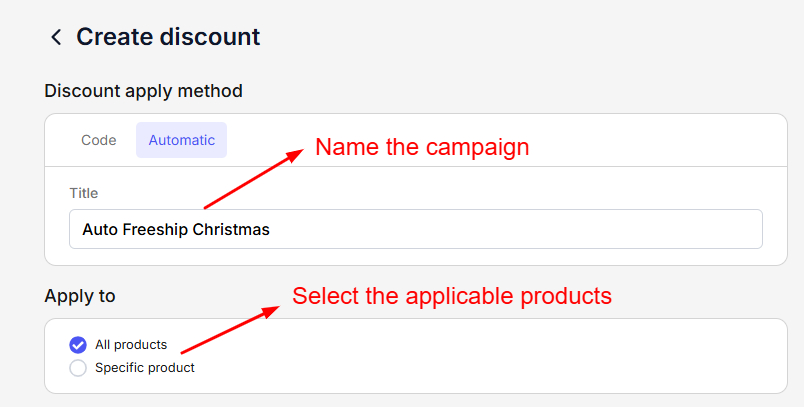
Step 2: Set up Automatic Discount details:
- Title: Name the campaign (Example: Auto Freeship Christmas).
- Apply to: Select the applicable products (All products or Specific products).
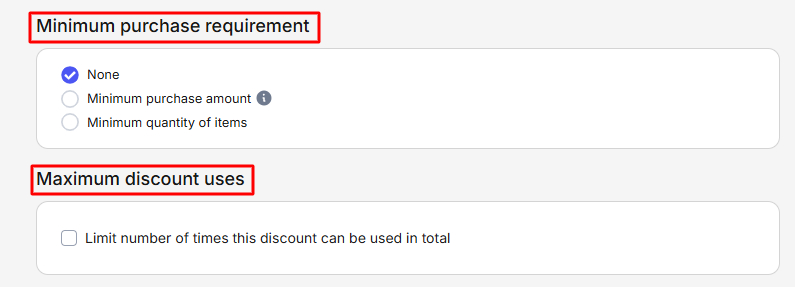
- Minimum purchase requirement: Set up the minimum condition (None, Minimum purchase amount, or Minimum quantity of items).
- Maximum discount uses: Set up the maximum usage limit (Example: 30 times)
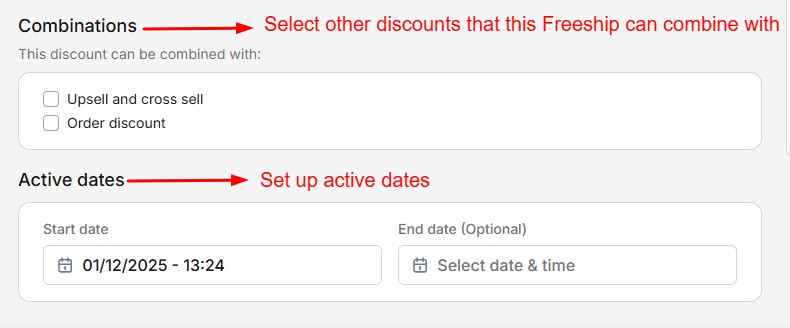
Step 3: Set up combinations:
Select other discounts that this Freeship can combine with (e.g: Upsell and cross-sell and Order discount).
Step 4: Set up active dates:
Start date and End date (Optional).
Step 5: Save: Click Create to complete.
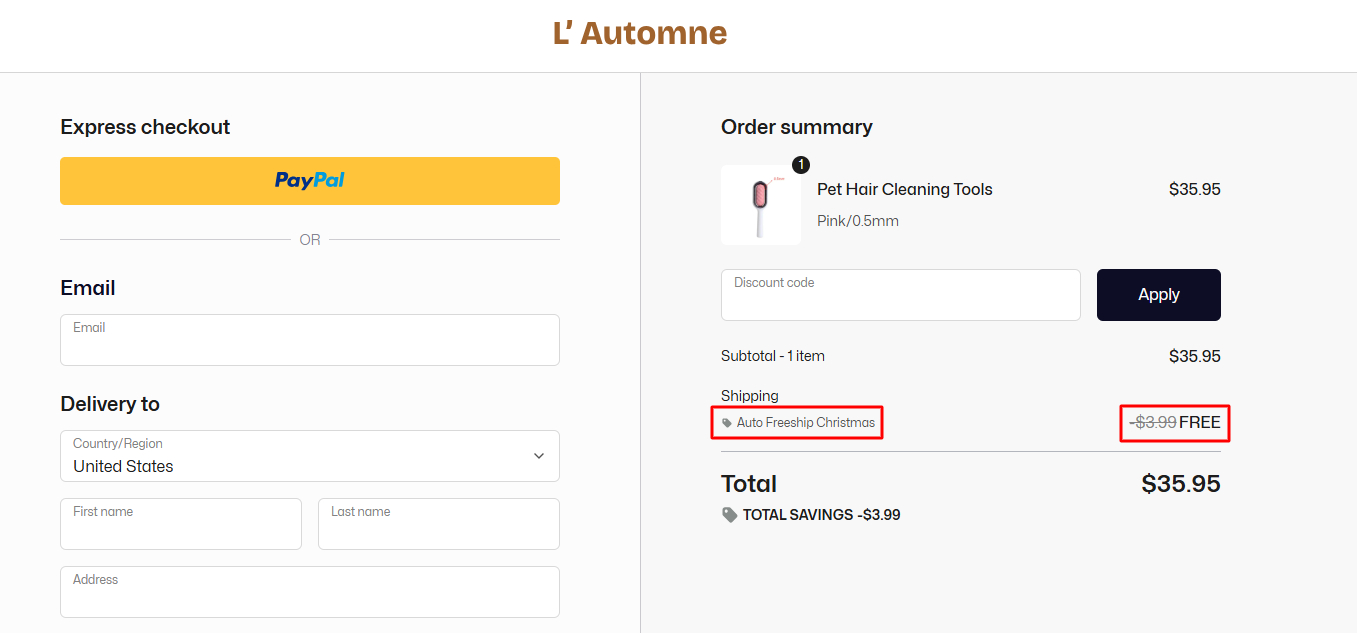
Check results (Automatic Freeship):
When a customer purchases the selected product (or the total value reaches the threshold), the shipping fee will automatically be displayed as FREE.
Conclusion
Offering free shipping isn’t just about removing a fee – it’s a smart sales strategy that helps your brand stand out in a crowded market.
With BettaMax, you can easily launch free shipping campaigns for specific products or timeframes without any complicated setup. When done right, free shipping can help you boost revenue and create a smoother, more enjoyable shopping experience for your customers.