
When starting a dropshipping business, one of the first essential steps is securing your own domain name. In this guide, BettaMax will walk you through the process of buying and linking a domain to your store using Name.com, with simple, visual steps that you can follow from the comfort of your own home.
How to Buy a Domain on Name.com
There are several domain providers out there, such as Name.com or Namecheap. For this guide, BettaMax focuses on buying a domain through Name.com, as it offers a user-friendly interface and a streamlined purchasing experience for dropshipping sellers.
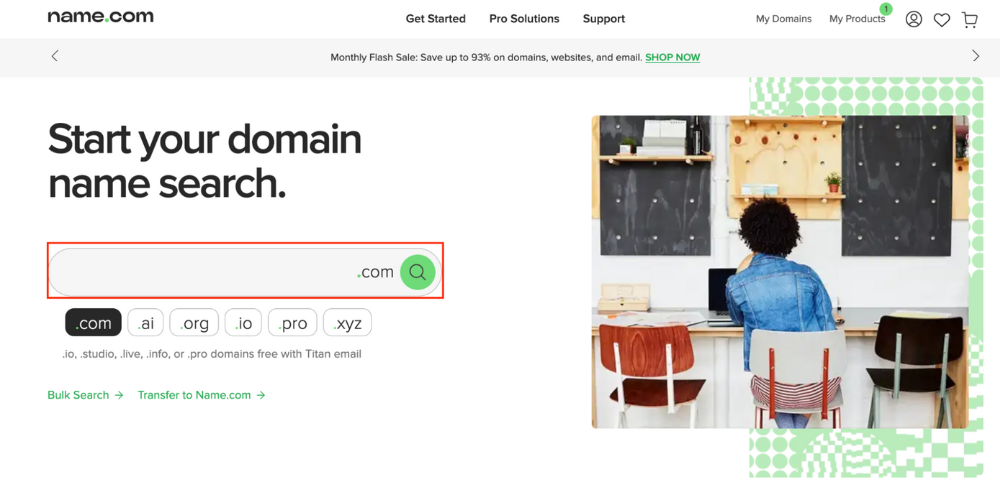
Step 1: Go to www.name.com, log in to your account, and search for a domain name that suits your store.
Tip: Choose a .com domain extension to boost your store’s credibility compared to other domain types.
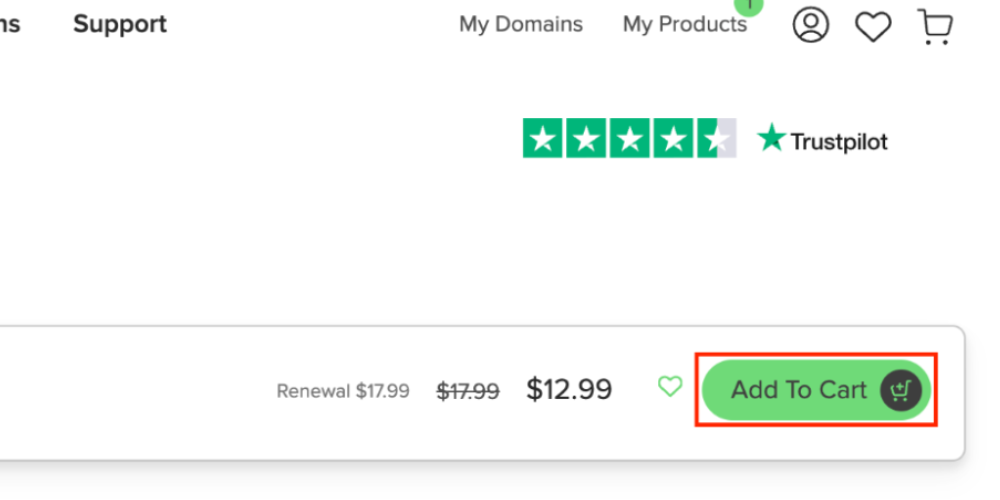
Step 2: Once you’ve found the perfect domain, click “Add to Cart” to begin the checkout process.
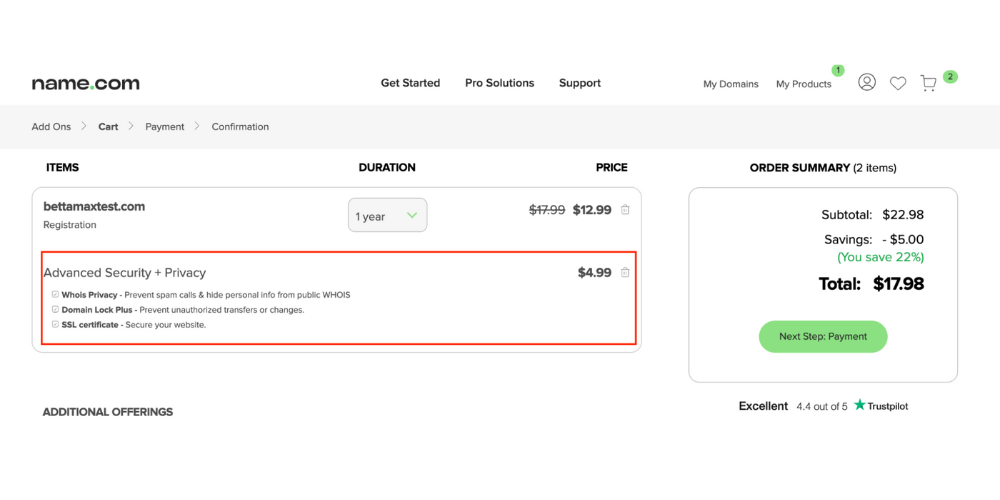
During checkout, you’ll see an option for “Advanced Security + Privacy”. Choose to purchase it or skip it based on your needs.
Then, select your payment method and complete the transaction.
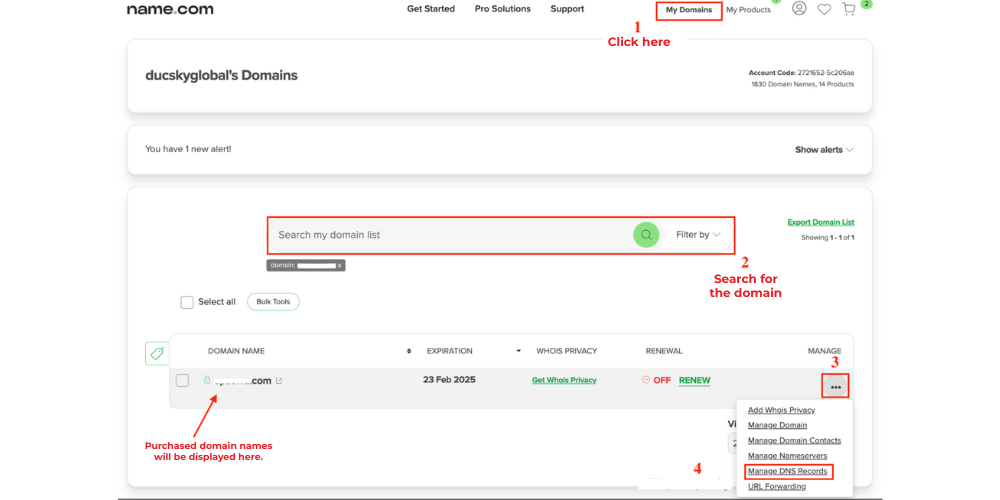
Step 3: After payment, the next step in this guide to buying and linking a domain is connecting it to a server. Here’s how:
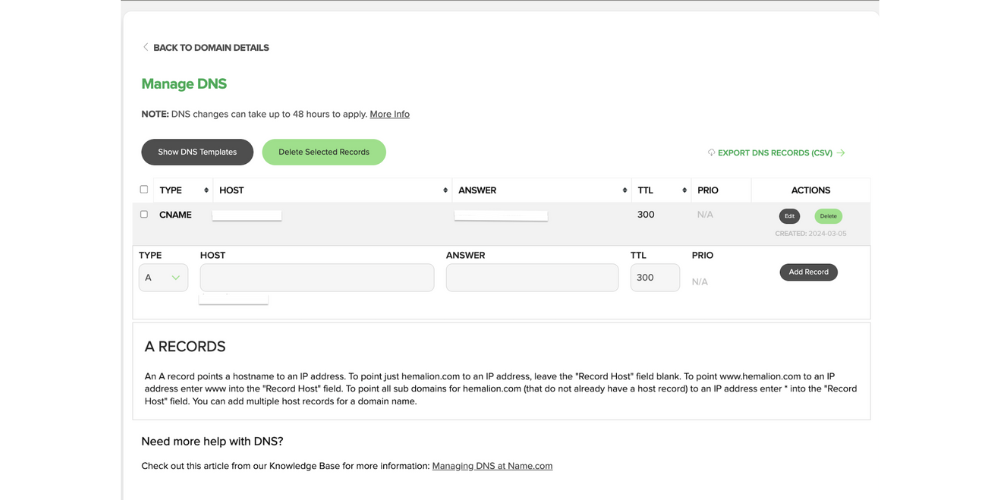
Navigate to “My Domains” → Enter your new domain → click “Search” → “Manage” → “Manage DNS Record”
How to point Your New Domain to Your BettaMax Store
Step 1: Sign in to Your BettaMax Store
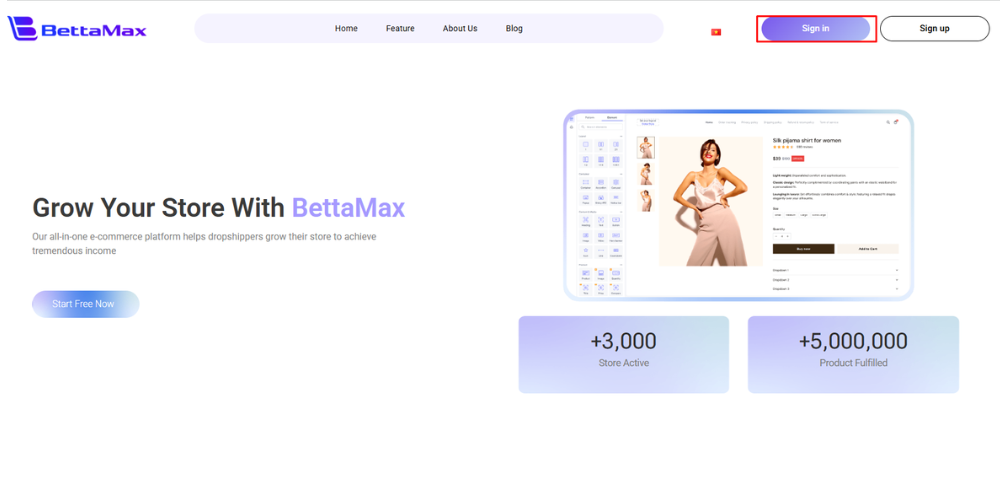
Step 2: After logging in, navigate to “My Store” → select the “Domain” option → click “Add Domain”.
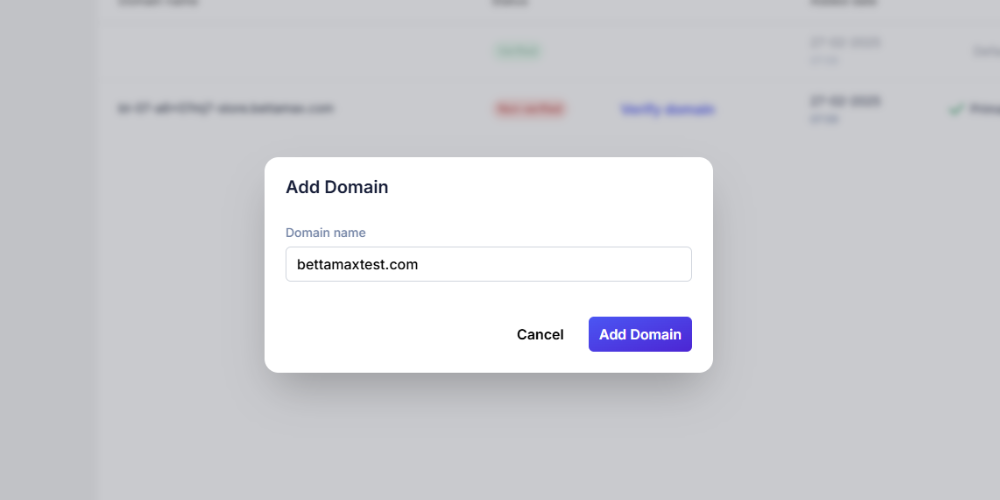
Step 3: A dialog box will appear. Enter the domain you just purchased into the “Domain Name” field → click “Add Domain”.
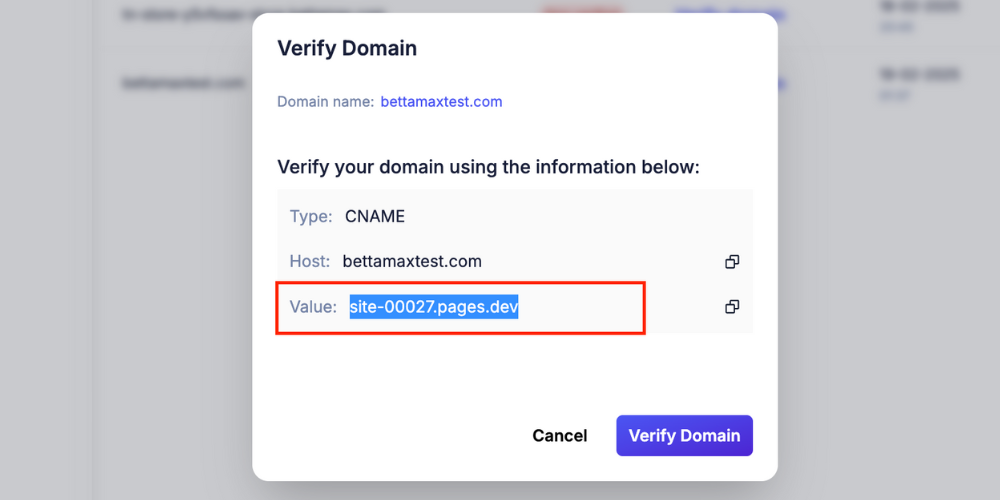
Step 4: The “Verify Domain” dialog will pop up. Copy the “Value” field from this box to use on Name.com.
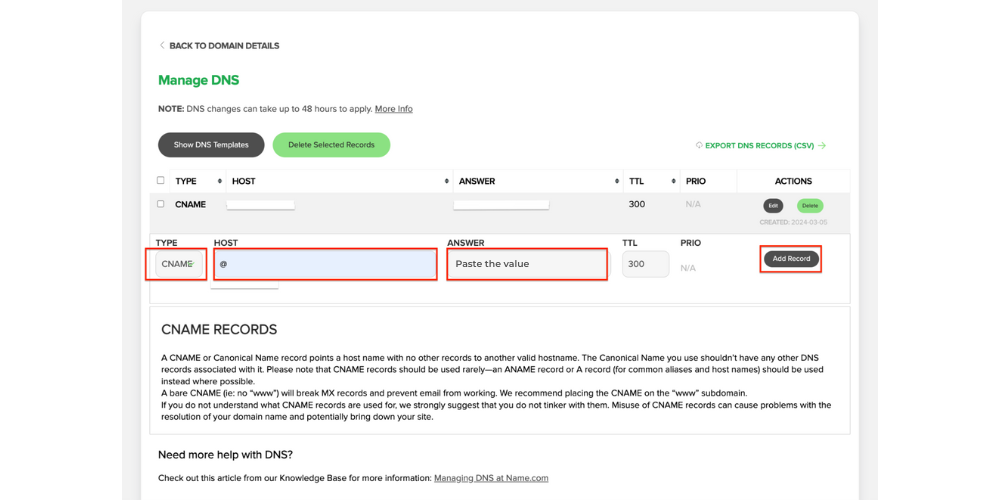
Step 5: Return to the “Manage DNS” page on Name.com and fill in these fields:
- TYPE: Select “CNAME”
- HOST: Default is “@” → click “Add Record”
- ANSWER: Paste the “Value” you copied from Step 4
Once completed, click “Add Record”.
Step 6: Go back to the BettaMax tab where you added the domain → click “Verify Domain”.
Note: The verification process takes 15-20 minutes. Keep the page open and avoid making changes during this time.
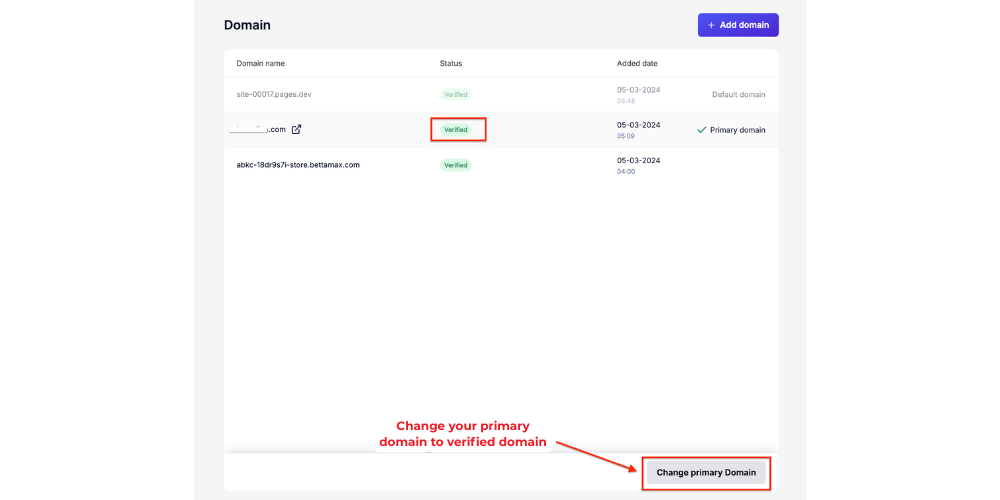
Step 7: Once verified, set your purchased domain as the primary domain. Then, reload your website to ensure product links work with the new domain.
Conclusion
Purchasing and connecting a domain to your BettaMax store is a crucial step in launching your dropshipping business. With this guide, you can seamlessly handle everything from registering your domain to pointing it to your store without hassle.
If you encounter any issues during the process, double-check each step or contact the BettaMax Support Team for prompt assistance. Good luck building your dropshipping business!