What is Shopify Dropshipping?
Shopify dropshipping is a way to run an online store without keeping products in stock. You sell items through your Shopify store, but instead of shipping orders yourself, a third-party supplier handles shipping for you. When a customer buys a product from your store, the order is sent to the supplier. The supplier prepares the package and ships it directly to the customer.
Shopify works as the middle platform that connects your store, the payment, and the supplier. It helps everything run in the right order and keeps the process simple. The supplier then packs and ships the product directly to the customer.
This allows you to focus on building your brand, promoting your products, and supporting customers, while the supplier manages fulfillment.
How Shopify Dropshipping works
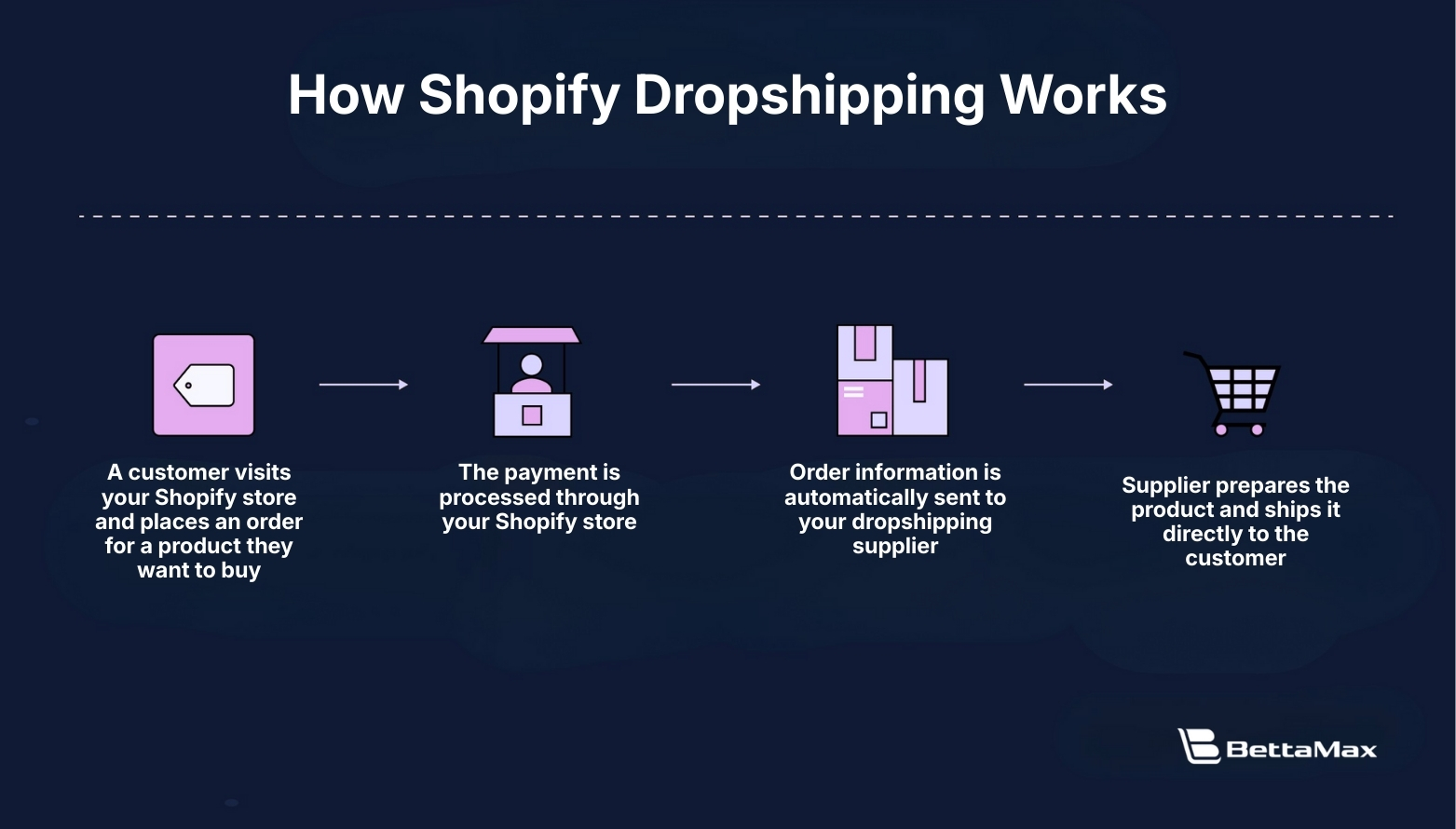
Shopify dropshipping follows a clear 4 step flow, so even beginners can understand it easily.
- First, a customer visits your Shopify store and places an order for a product they want to buy.
- Next, the payment is processed through your Shopify store, and the order details are recorded automatically.
- Then, the order information is automatically sent to your dropshipping supplier. You do not need to manually contact the supplier or handle the order yourself.
- Finally, the supplier prepares the product and ships it directly to the customer. In most cases, the package is sent using your store name, so the customer sees your brand, not the supplier.
Shopify dropshipping is popular because it lets you start an online business with very low upfront costs. You do not need to buy inventory, rent storage, or handle shipping yourself.
Why should choose dropshipping on Shopify?
You can enjoy a special offer of just $1/month for the first 3 months, making it very affordable to get your store up and running. Once the trial period ends, the Basic Shopify plan costs only $19/month, which is still budget friendly for beginners.
Shopify is also extremely easy to use, even if you have no technical skills. It integrates with thousands of apps that connect your store to suppliers, payment systems, and multiple sales channels.
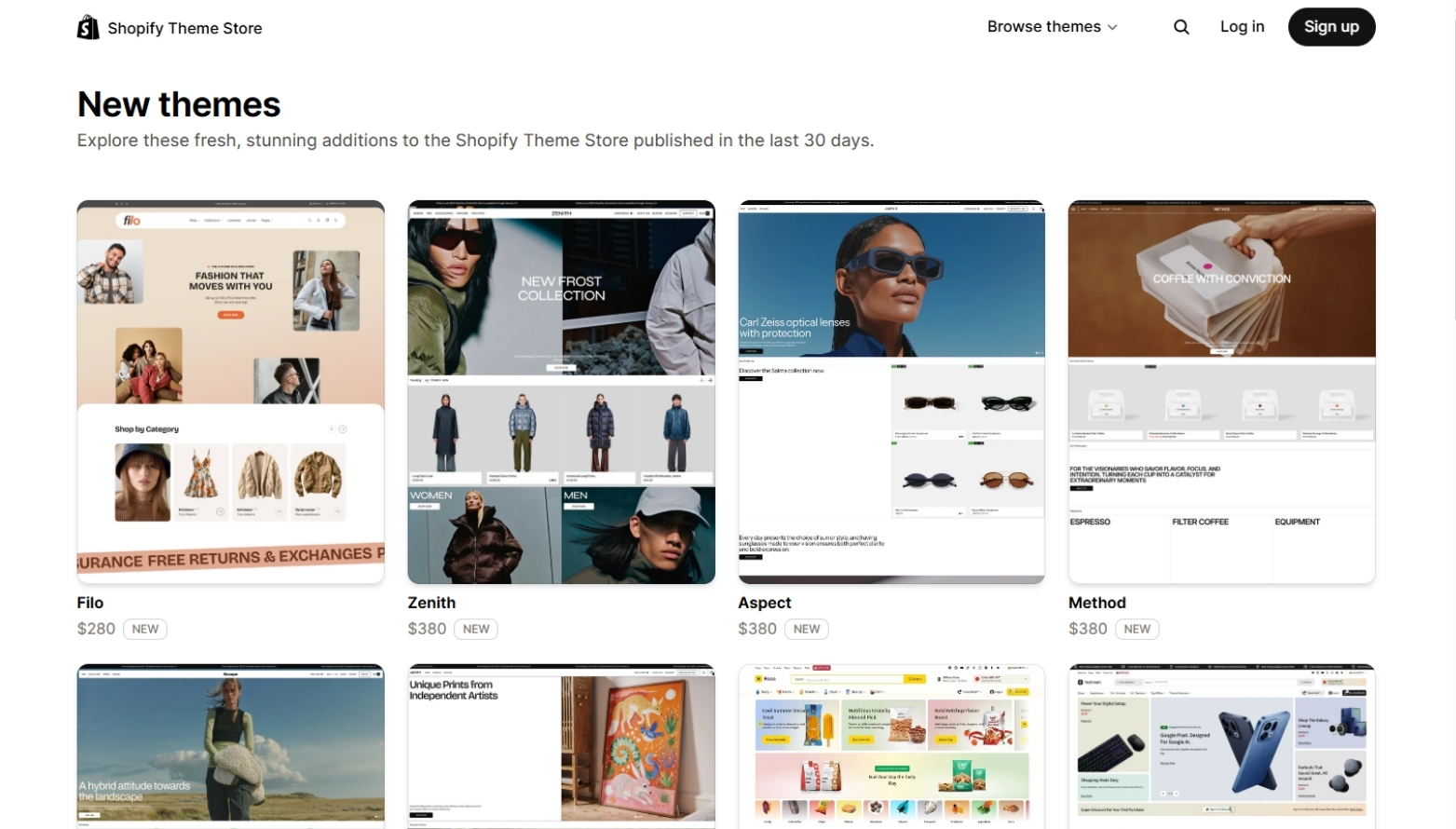
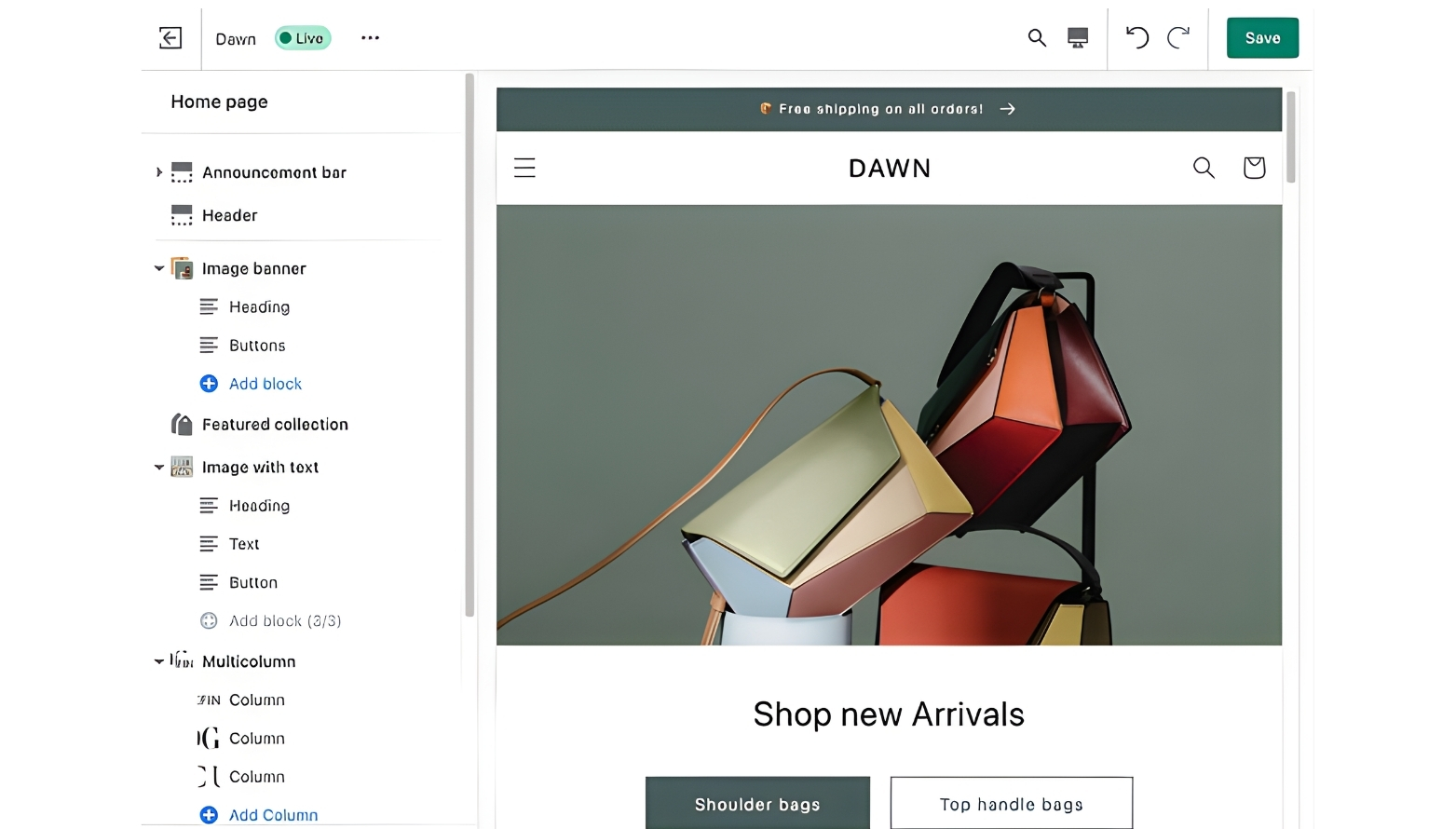
With more than +1000 store themes available and a drag and drop editor, you can build and customize your store without writing any code and easily adapt it to almost any industry.
How to start dropshipping on Shopify
Starting dropshipping on Shopify is easier than many people think. You do not need to hold inventory or handle shipping yourself. With the right setup and strategy, anyone can get started. This guide will walk you through the key steps to launch a Shopify dropshipping store, from choosing products to making your first sale.
1. Set up your store
The first step to starting dropshipping on Shopify is setting up your online store. Shopify provides everything you need to build a professional ecommerce website, even if you have no technical background.
Create a Shopify account: Begin by signing up for a free trial on Shopify’s official website. This allows you to explore the platform, test features, and start building your store before committing to a paid plan. During signup, you will be asked basic information about your business, which helps Shopify tailor the setup to your needs.
Choose a niche and products: Next, decide on a niche and the products you want to sell. Focus on a specific product category with clear demand rather than trying to sell everything. Research competitors to understand pricing, product quality, customer reviews, and how they position their brand. A well-defined niche makes it easier to market your store and stand out in a crowded dropshipping market.
Customize your store: Once your products are selected, focus on basic store customization to create a clean and professional appearance. At this stage, you do not need advanced design or custom code. Just make sure your store looks trustworthy and easy to use.
Basic customization typically includes:
- Choosing a Shopify theme that fits your niche
- Adding your logo and setting consistent brand colors
- Designing a clear homepage
- Setting up essential pages
- Ensuring your store is easy to navigate on both desktop and mobile devices
Even simple customization can make a strong first impression. A clean and well-structured store helps build trust with customers and improves conversion rates from the very beginning.
2. Integrate Suppliers and Products
Once your store is ready, the next step is to integrate suppliers and add products to your Shopify store. This step allows you to source products and automate fulfillment without managing inventory.
Begin by installing a dropshipping app from the Shopify App Store. Popular dropshipping apps include:
- DSers
- Spocket
- AutoDS
- Zendrop
- CJdropshipping
- Modalyst
- Dropshipman
- Syncee
- Zopi
- Printful
- Printify
- Trendsi
- EProlo
- Stock Sync
- FashionGo Dropshipping
After installing the app, use it to find and connect with suppliers. You can choose suppliers based in the US or Canada for faster delivery, or global suppliers that offer a wider range of products.
Always check supplier ratings, shipping times, and product reviews before moving forward.
Once suppliers are selected, import products directly into your Shopify store through the app. Product images, descriptions, and pricing are added automatically, saving time and reducing manual work. You can then edit the product details to better align with your brand and audience.
3. Add products to your store
Once you have connected suppliers, the next step is adding products to your Shopify store. Most dropshipping apps allow you to import products directly with just a few clicks, saving time and avoiding manual setup.
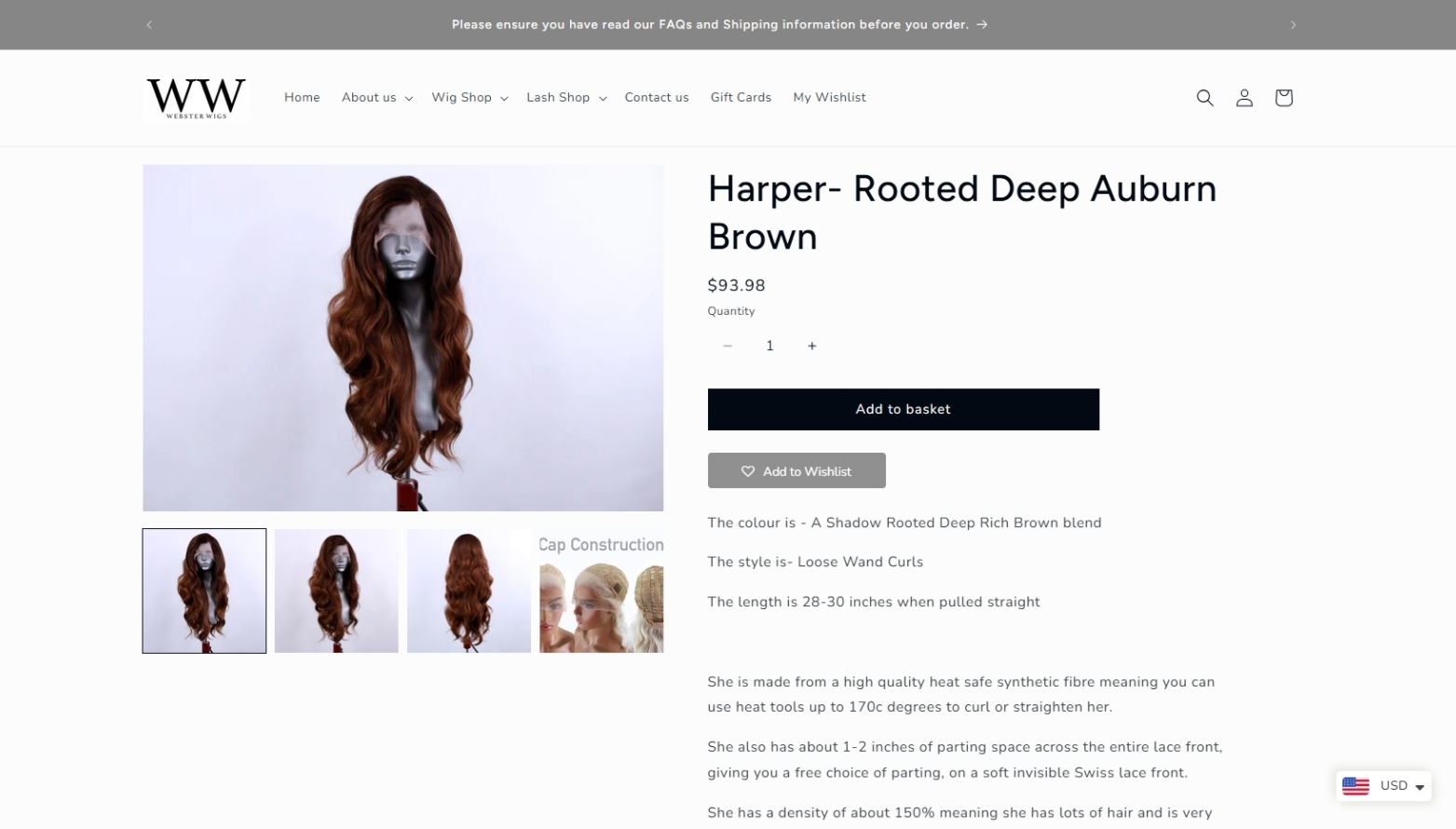
After importing, do not use the default content provided by suppliers. Take time to optimize each product before publishing it on your store. Rewrite product titles and descriptions to match your brand voice and clearly highlight the benefits for customers.
Use high-quality images that look clean and professional. If possible, remove watermarks, improve image order, and select photos that show the product in real-life use. Well-optimized product pages look more trustworthy and significantly increase your chances of making sales.
4. Configure store settings
Before launching your store, you need to properly configure essential settings. These settings affect how customers pay, how orders are delivered, and how your store stays compliant and trustworthy.
Payment Settings
Setting up payment methods is the first priority. Customers must be able to pay easily and securely when placing an order.
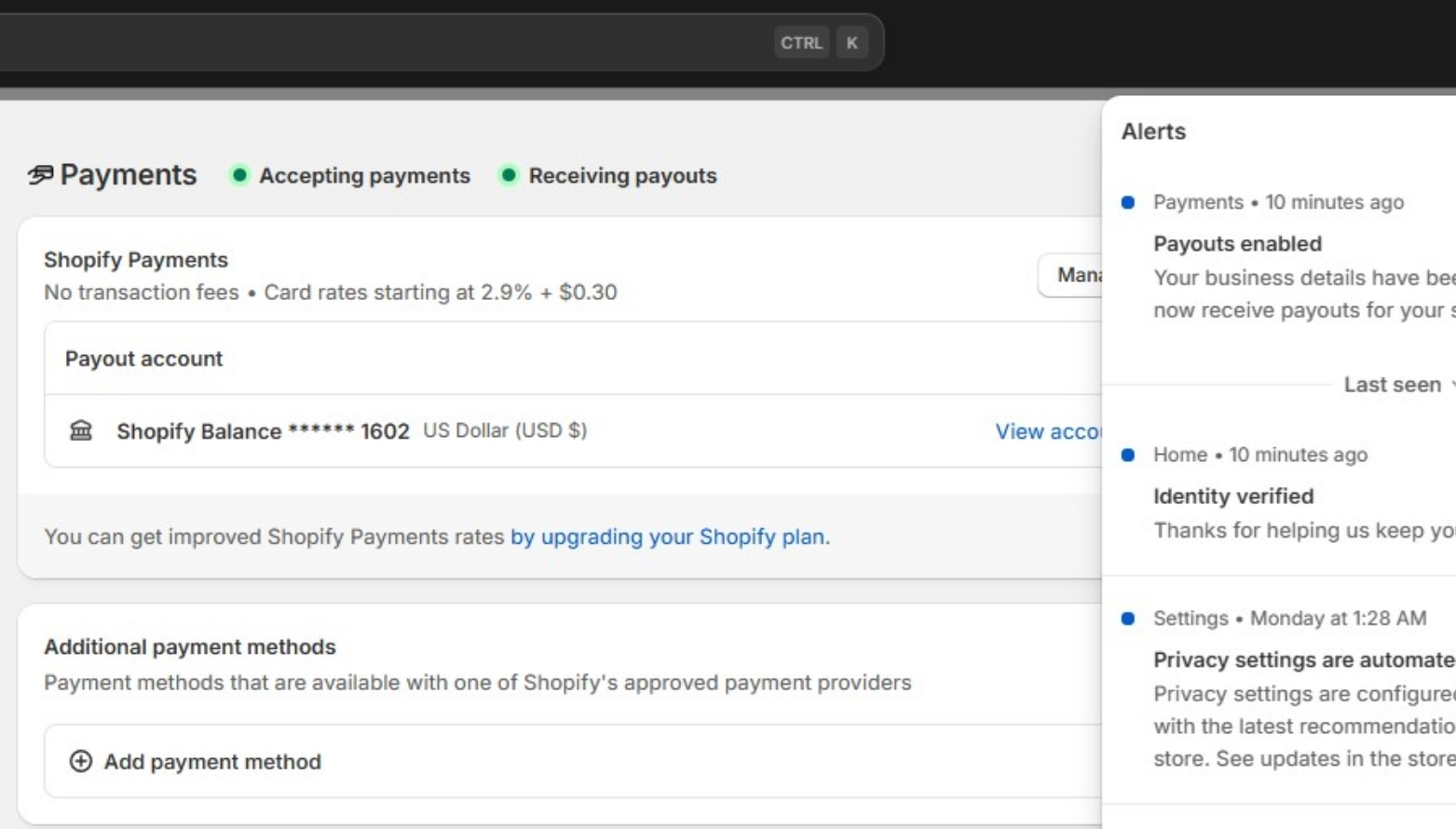
Make sure your store supports:
- At least one major payment gateway such as Shopify Payments
- Credit and debit cards (Visa, Mastercard, AMEX)
- Additional options like PayPal or local payment methods if available
A smooth payment experience reduces cart abandonment and increases completed checkouts.
Shipping Settings
Shipping configuration determines how much customers pay for delivery and what expectations they have after ordering.
Key shipping elements to configure:
- Shipping zones based on your target markets
- Flat-rate, free shipping, or calculated shipping options
- Clear shipping times that match your supplier’s delivery speed
Transparent shipping rates and policies help prevent customer complaints and refund requests.
Legal Pages and Policies
Legal pages are essential for building trust and meeting platform requirements. Shopify allows you to generate basic policy templates that you can customize.
Your store should include:
- Privacy Policy
- Terms of Service
- Refund and Return Policy
These pages protect both you and your customers, and they are often required by payment providers and advertising platforms.
5. Market your store
After your store is fully set up, marketing becomes the key driver of traffic and sales. Without promotion, even a well-designed store will struggle to generate orders.
- Content marketing is one of the most effective ways to attract organic traffic. Short-form videos on platforms like TikTok and Instagram Reels help showcase products in real-life use and build trust quickly. Focus on creating simple, authentic content that highlights product benefits, problems solved, and social proof.
- Paid advertising allows you to scale faster once you find a product that converts. Platforms like Meta and Google let you target specific audiences based on interests, behavior, and search intent. Start with a small budget, test multiple creatives, and optimize based on performance rather than assumptions.
- Email marketing helps you turn visitors into repeat customers. By collecting emails through pop-ups or checkout, you can promote discounts, new products, and limited-time offers. Even simple email campaigns can significantly increase customer lifetime value over time.
6. Launch and scale
Before officially launching, test your store’s checkout process to make sure payments, shipping, and order confirmations work smoothly. A simple test order can help you catch errors before real customers do.
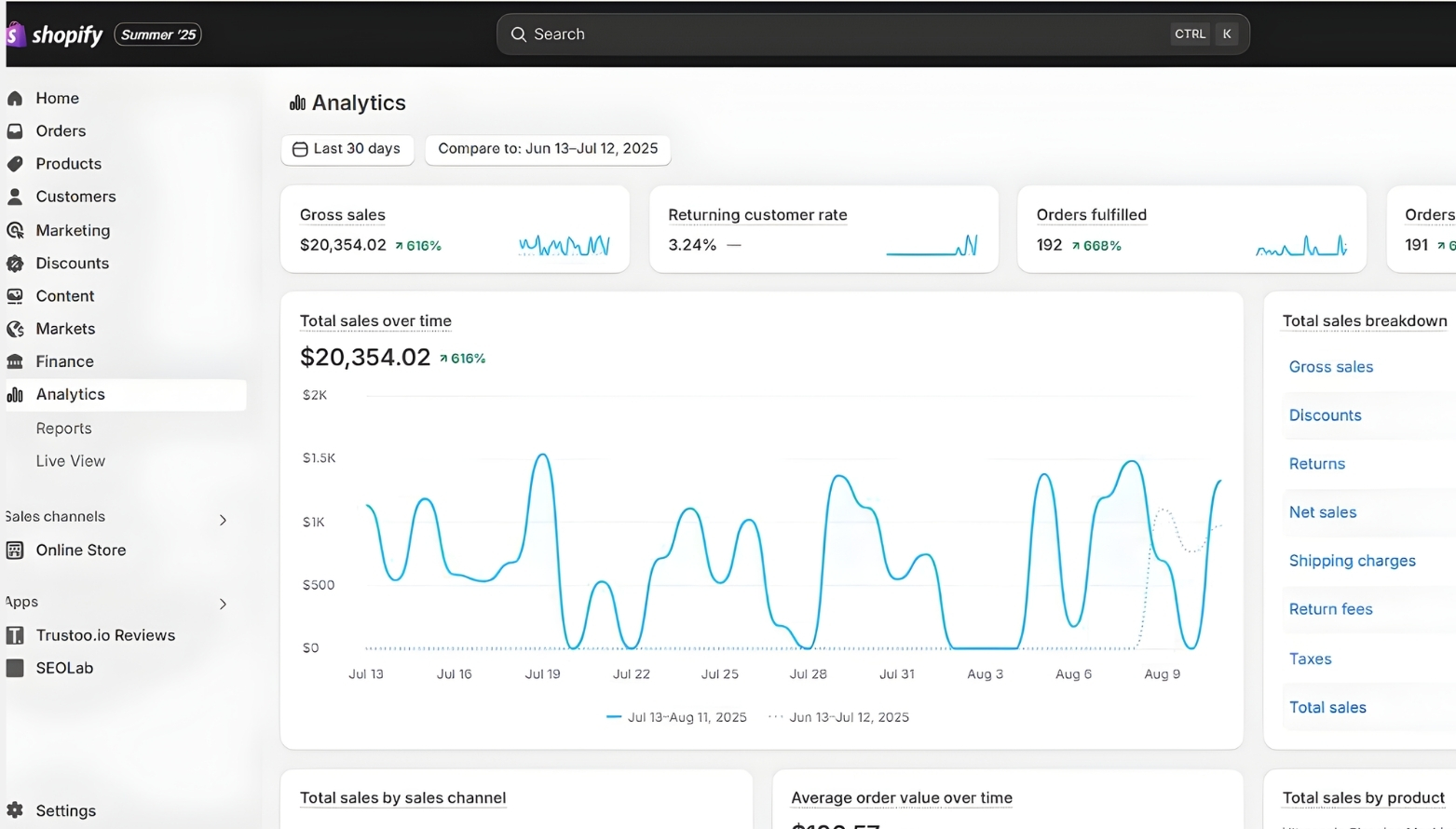
After launch, monitor sales data and customer feedback closely. Use these insights to improve product pages, adjust marketing strategies, or expand your product line. Scaling successfully comes from continuous testing, optimization, and smart reinvestment rather than rushing to grow too fast.
Ways to Scale Your Shopify Dropshipping Store in 2026
Scaling a Shopify dropshipping store in 2026 is no longer about relying on a single traffic source. Sustainable growth comes from combining paid ads, organic content, and AI-driven automation into one unified strategy.
Optimize multi-platform advertising
Paid advertising remains one of the fastest ways to scale, but success now depends on optimizing across multiple platforms. TikTok Ads, Meta Ads (Facebook and Instagram), and Google Ads each serve different stages of the customer journey. TikTok excels at product discovery, Meta is strong for retargeting and brand awareness, while Google Ads captures high-intent buyers. By testing creatives across platforms and reallocating budget based on performance, you can scale more efficiently without overspending.
Combine paid ads with organic and free traffic
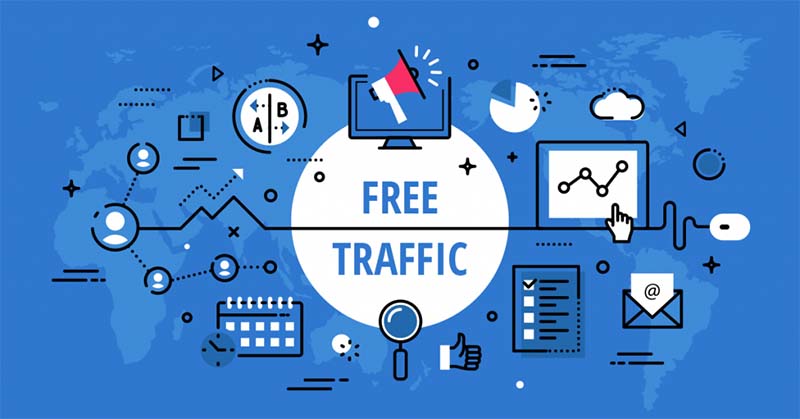
To reduce costs and improve long-term stability, paid ads should be combined with organic traffic. Short-form video content on TikTok, Instagram Reels, and Facebook is especially powerful in 2026. These platforms prioritize engaging, authentic videos and often push viral content to large audiences through their algorithms. By consistently posting short videos that follow trends, showcase product use, or solve common problems, you can generate free traffic and support your paid campaigns at the same time.
Leverage platform algorithms through short-form video
Short-form video is no longer optional. Viral-style content helps your brand reach new users without additional ad spend. Focus on creating simple, repeatable video formats that align with current trends, sounds, and user behavior. When one video performs well, platforms will naturally distribute it to a wider audience, creating momentum that directly impacts store traffic and sales.
Use AI to automate store operations and marketing
AI plays a major role in scaling dropshipping businesses in 2026. AI tools can automate daily operations such as posting content, responding to comments, replying to messages, and assisting with customer support. This reduces manual workload while maintaining fast response times and consistent engagement with potential buyers.
AI-Powered customer data and email marketing
Beyond automation, AI helps collect and manage customer data more effectively. By analyzing behavior, purchase history, and engagement, AI tools can segment audiences and trigger personalized email marketing campaigns. Automated email flows for promotions, abandoned carts, and repeat purchases allow you to scale revenue without increasing ad spend proportionally.
Scale faster by combining strategies
The key to scaling in the current landscape is integration. Combining multi-platform ads, organic traffic from short-form content, and AI-driven automation allows you to optimize costs and grow faster. Businesses that adapt to this hybrid approach can scale sustainably while staying competitive in a rapidly changing ecommerce environment.
Frequently Asked Questions
1. Is dropshipping still profitable on Shopify in 2026?
Dropshipping is still profitable in 2026 if you focus on the right niche, reliable suppliers, and strong marketing strategies. Success now depends more on branding, content, and optimization rather than just listing products.
2. Do I need a lot of money to start dropshipping on Shopify?
No. You can start dropshipping on Shopify with a relatively small budget. The Basic Shopify plan costs around $29 per month, and a domain usually costs $10–20 per year. Depending on your setup, dropshipping apps may cost between $0–50 per month. For marketing, many beginners spend about $100–300 or more to test ads and attract traffic. Overall, most new dropshippers can get started with a budget of approximately $200–600 for the first month, especially if they also leverage organic traffic to reduce costs.
3. Which marketing channel works best for dropshipping in 2026?
There is no single best channel. TikTok, Facebook, Instagram, and Google Ads all play different roles. The most effective approach is combining paid ads with organic short-form content.
4. Can I rely only on organic traffic to grow my store?
Organic traffic can generate sales, but it usually takes time. For faster and more stable growth, combining organic content with paid advertising is recommended.